Documents
Send Signals to the Video Wall
On the home page, click “电视墙管理(Video Wall Management)” → expand the signal list → select the signal to send to the wall and drag it to the display wall on the right, holding the left mouse button.
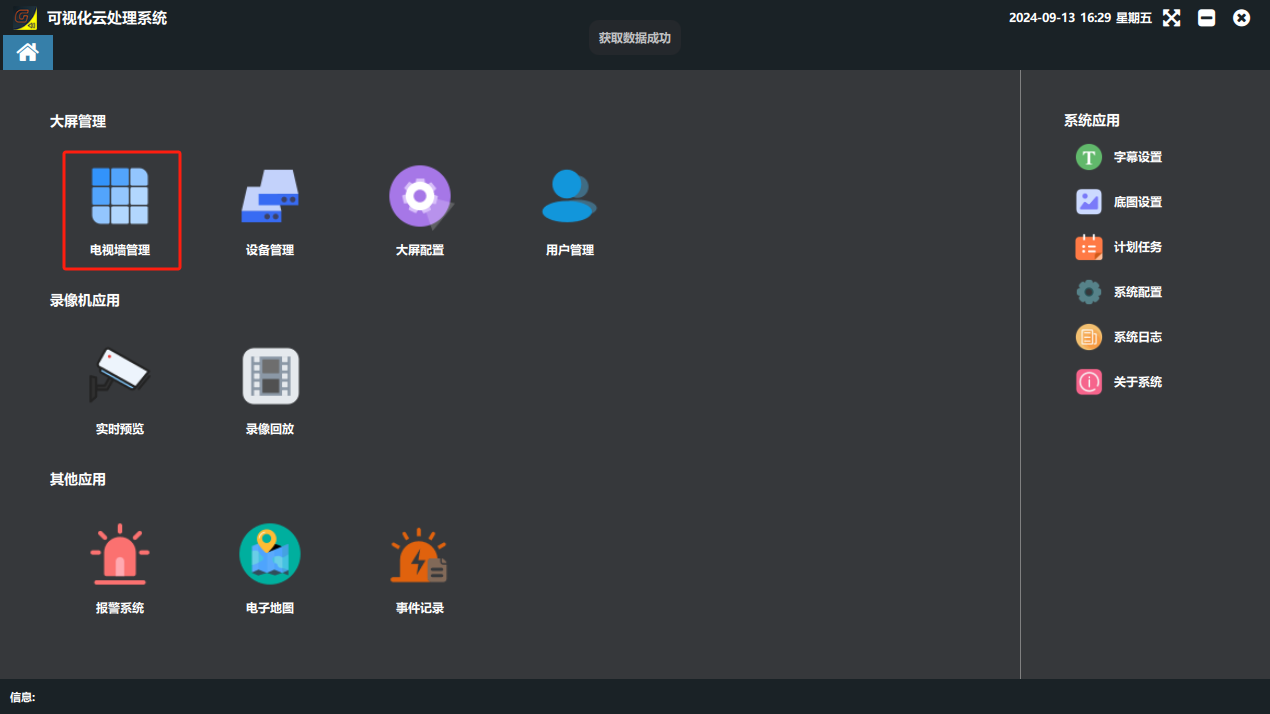
Sending a single signal to the wall
- Find the signal source you need;
- Hold the left mouse button and drag it into a cell of the virtual display wall on the right;
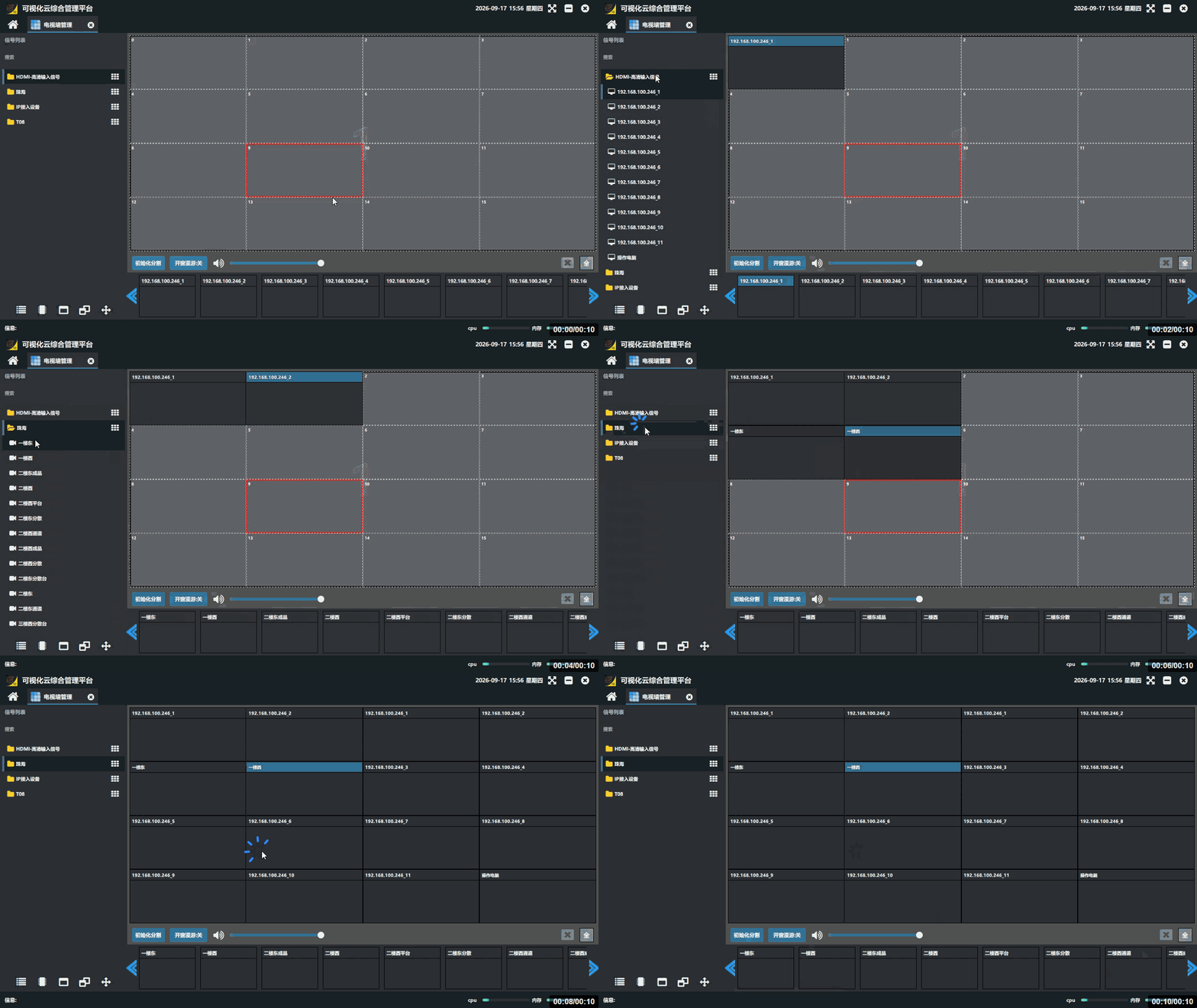
Sending signals in bulk
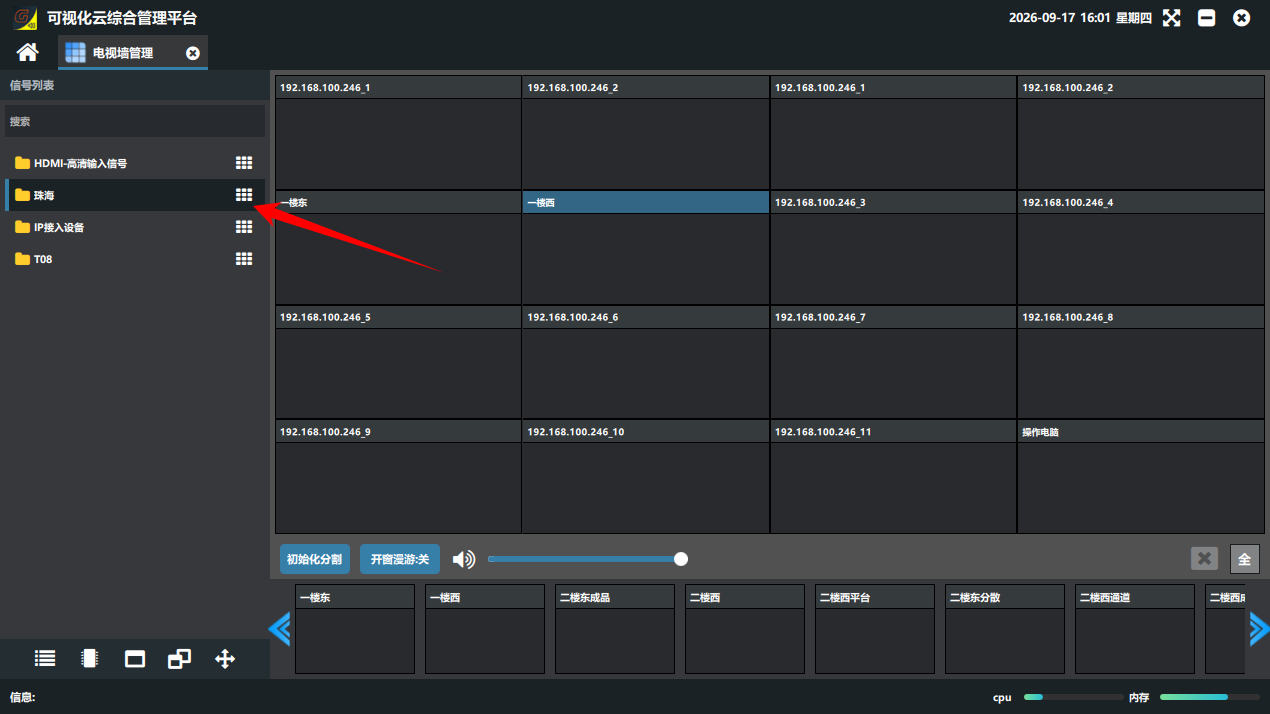
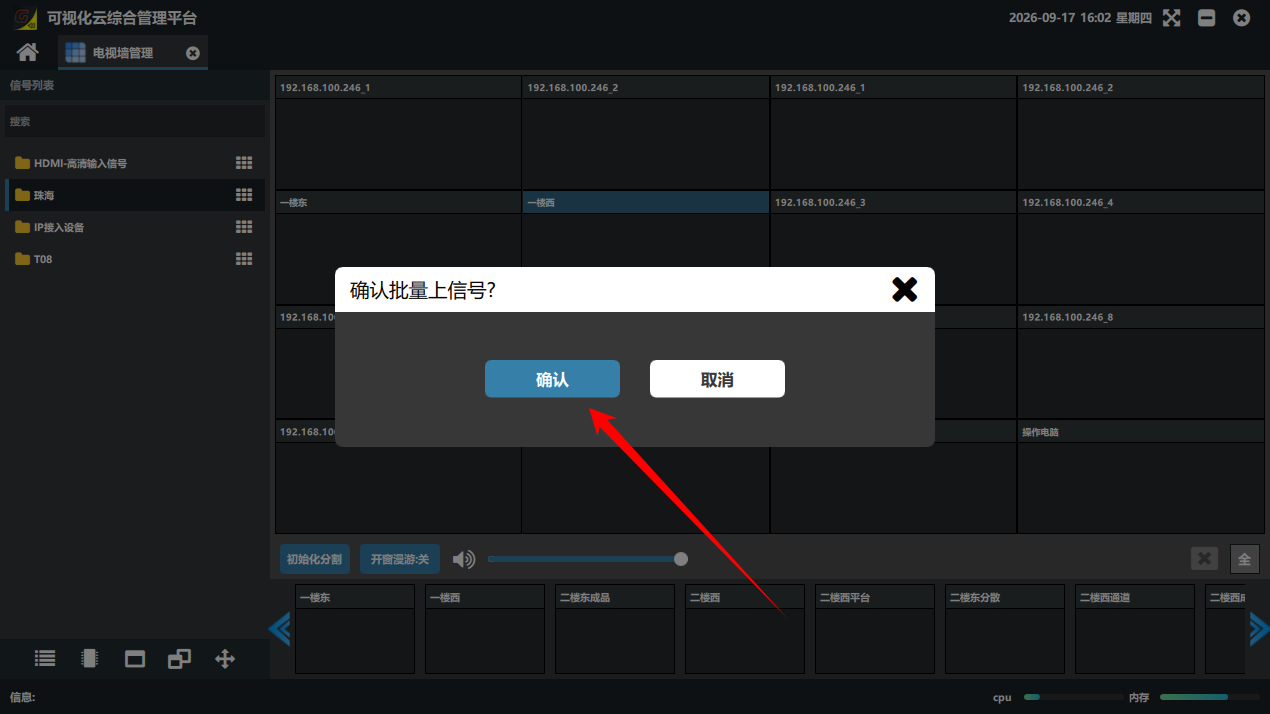
A whole group of signals can be sent to the wall with one click: click the  button to the right of the group folder
Did this page help you?One line of feedback helps us keep the steps accurate.