Documents
Return Feed & Preview Monitor
1. Signal return feed
Note: IPC return feed card. If the device ships with IPC return feed, it is already configured at the factory; however, if the device IP has been changed, the IPC return feed card must be reconfigured. The procedure is as follows.
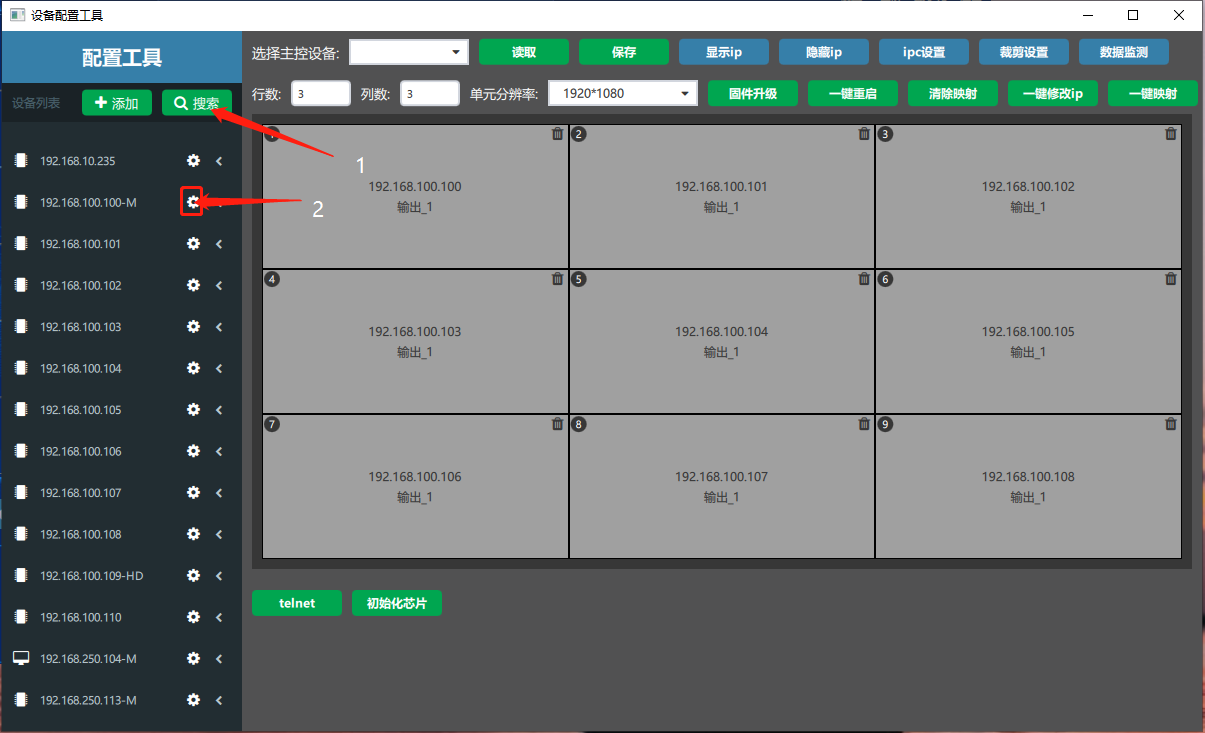
① In the software click Card Configuration → in the “Device Configuration Tool” window that opens click Search → among the searched device IPs, select the small gear “” after the main card IP (an IP with the “-(M)” suffix is the main card).

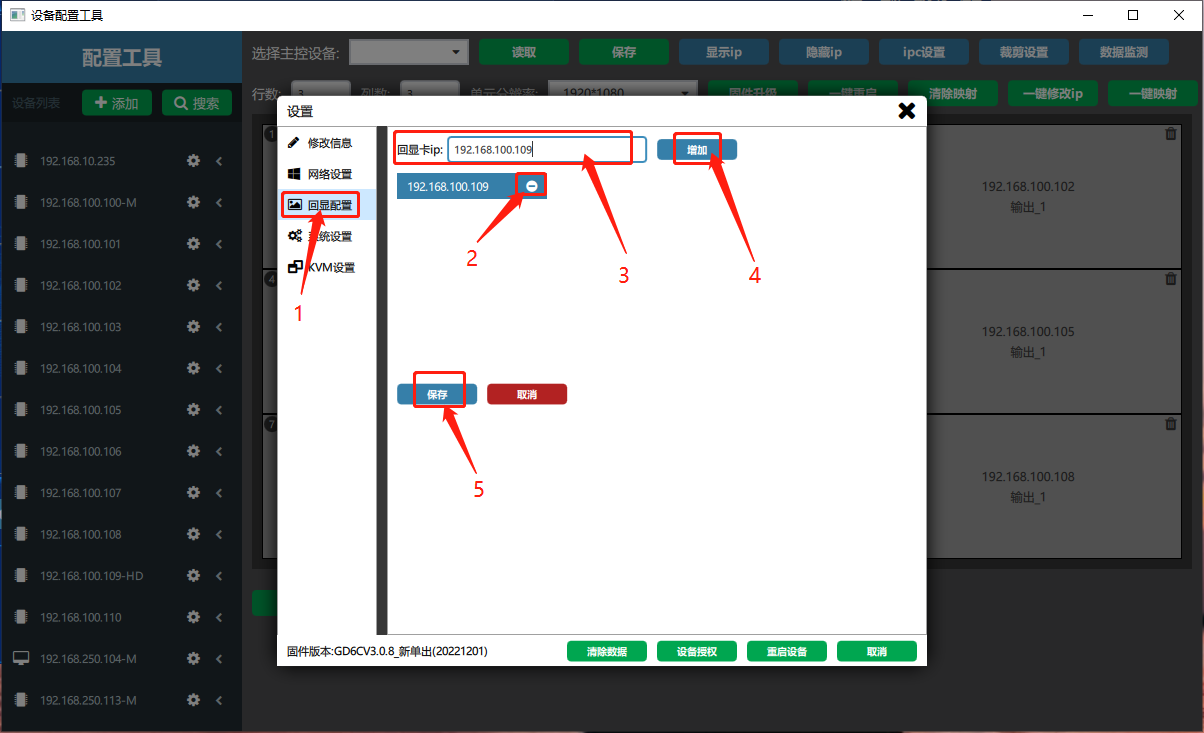
② On the settings page choose “Return Feed Configuration” → delete the old return feed card, click the “” after the return feed card IP → enter the return feed card IP in the “Return Feed Card IP” field → click “Add” → click “Save”.

2. Signal preview monitor
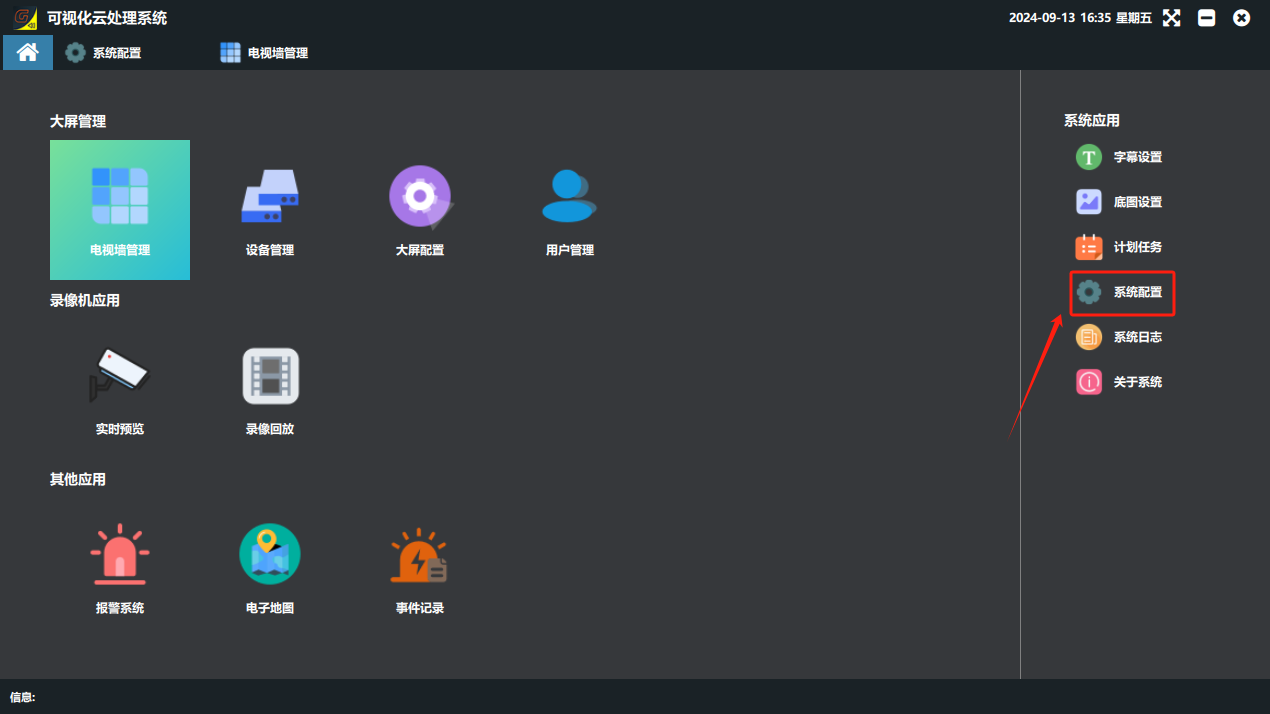
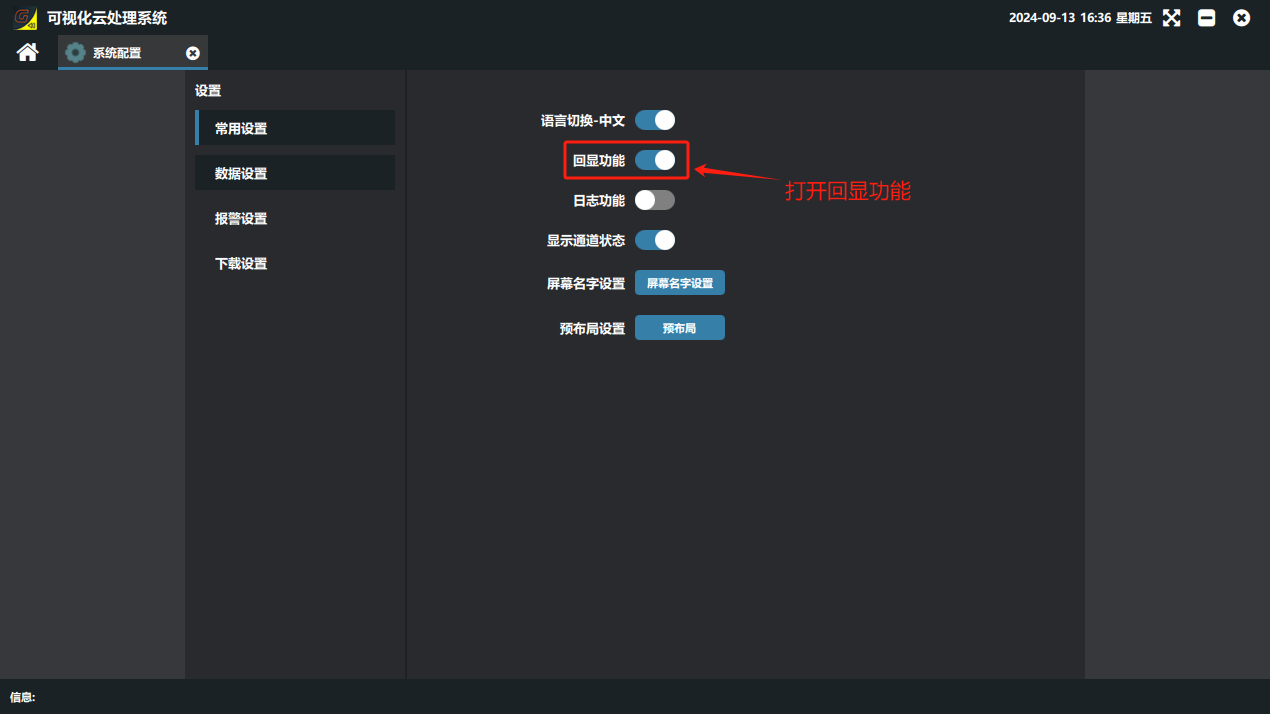
① On the software home page click “System Configuration” under System Applications, enter the settings screen, enable return feed and restart the software.
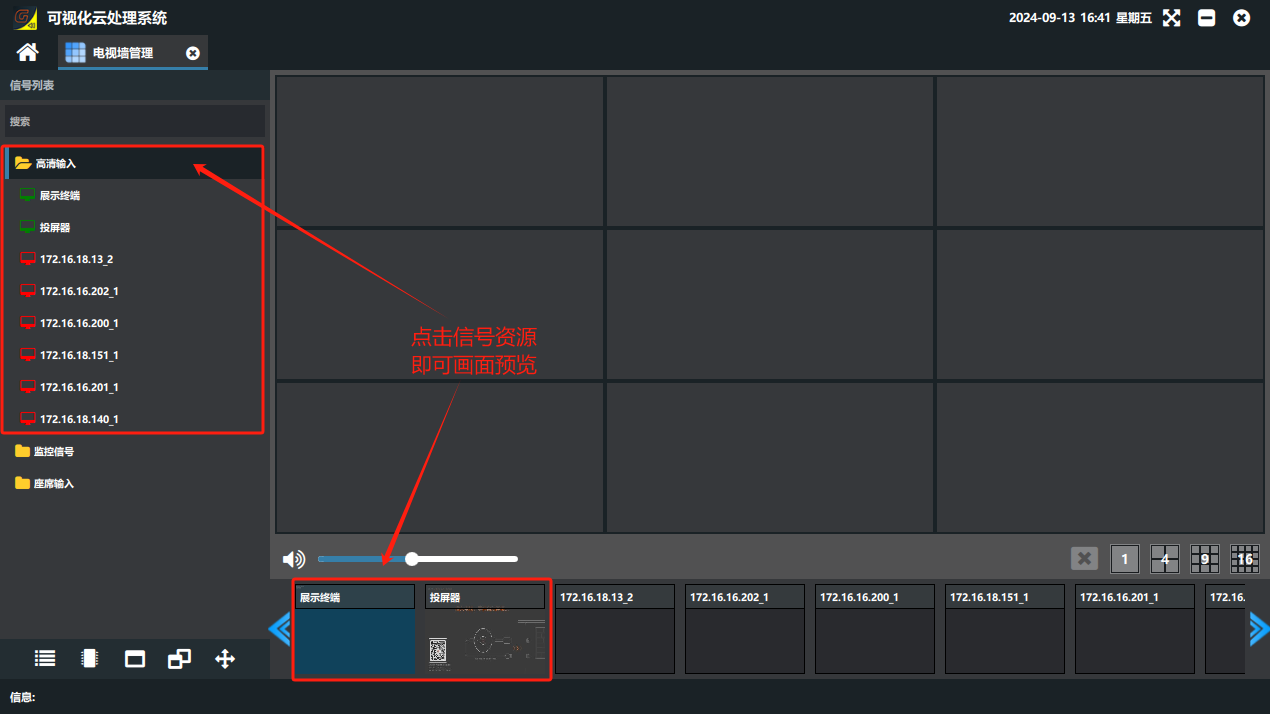
② Open the display wall again and click a signal source in the signal list, which is then presented as an image preview monitor. (HD signals have return feed by default; surveillance signals need an added IPC return feed card to have return feed.)
Did this page help you?One line of feedback helps us keep the steps accurate.