Documentation
Getting Started
Devices and Assets
Publishing and Display
Scenes and Patrol
Management and Settings
Troubleshooting and Support
Tour Settings
1. Fly screen interaction
- ① Click 飞屏(Fly Screen) in the top-right corner of the software
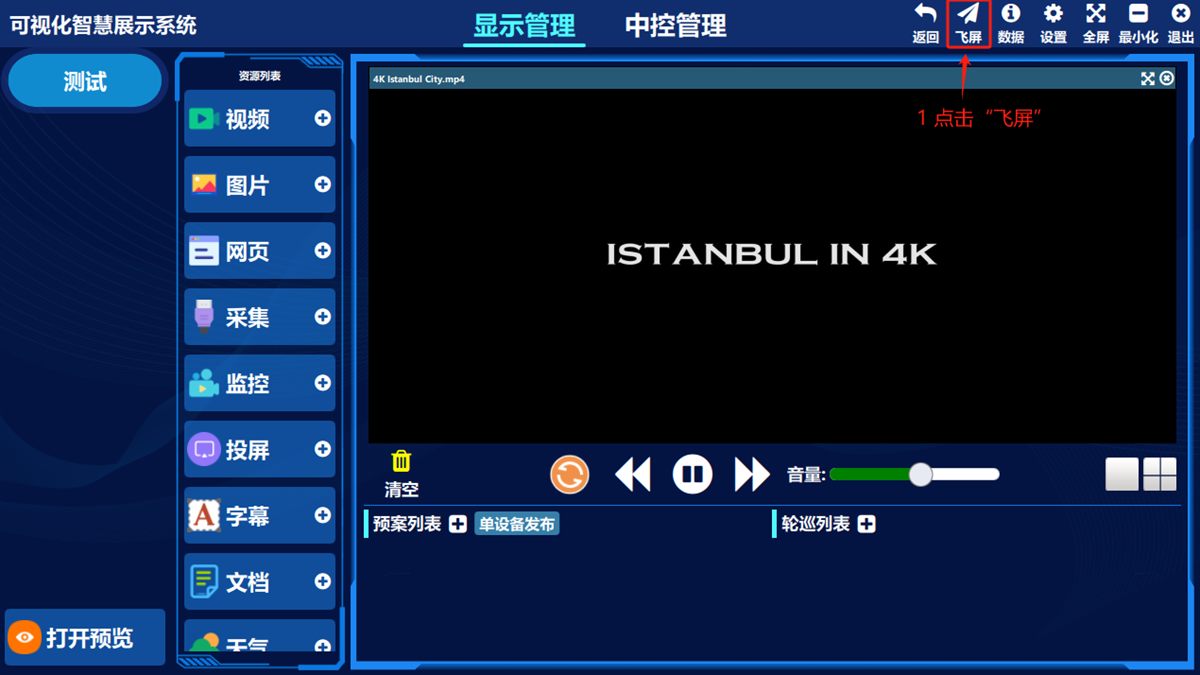
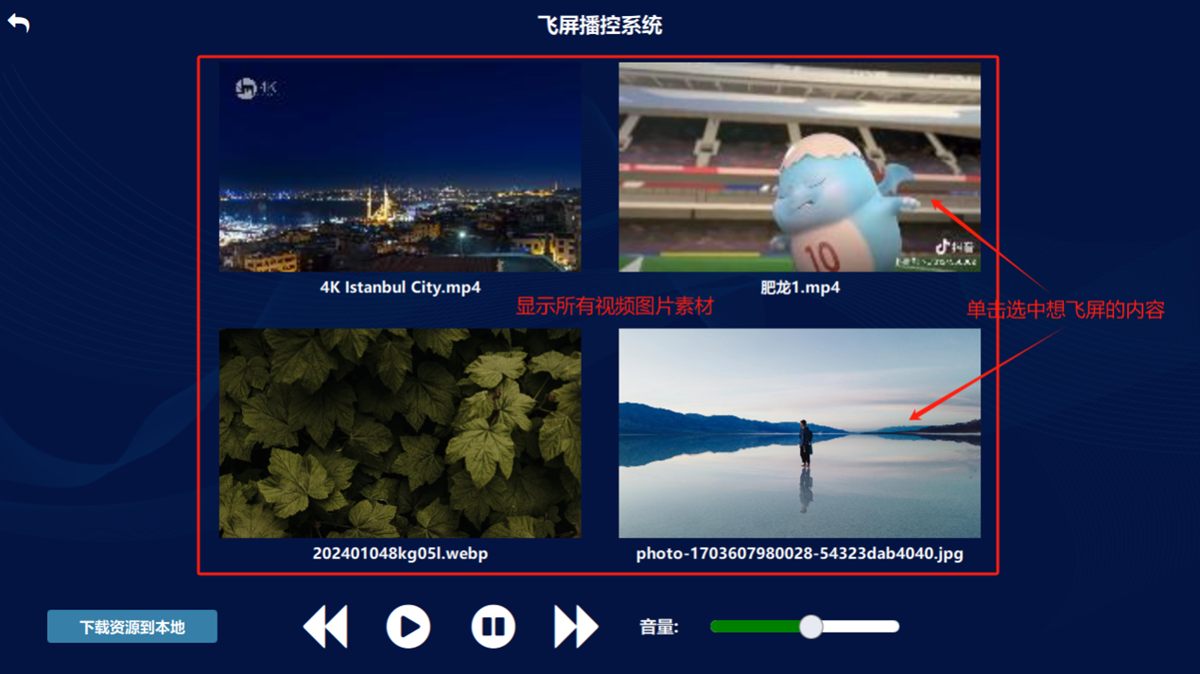
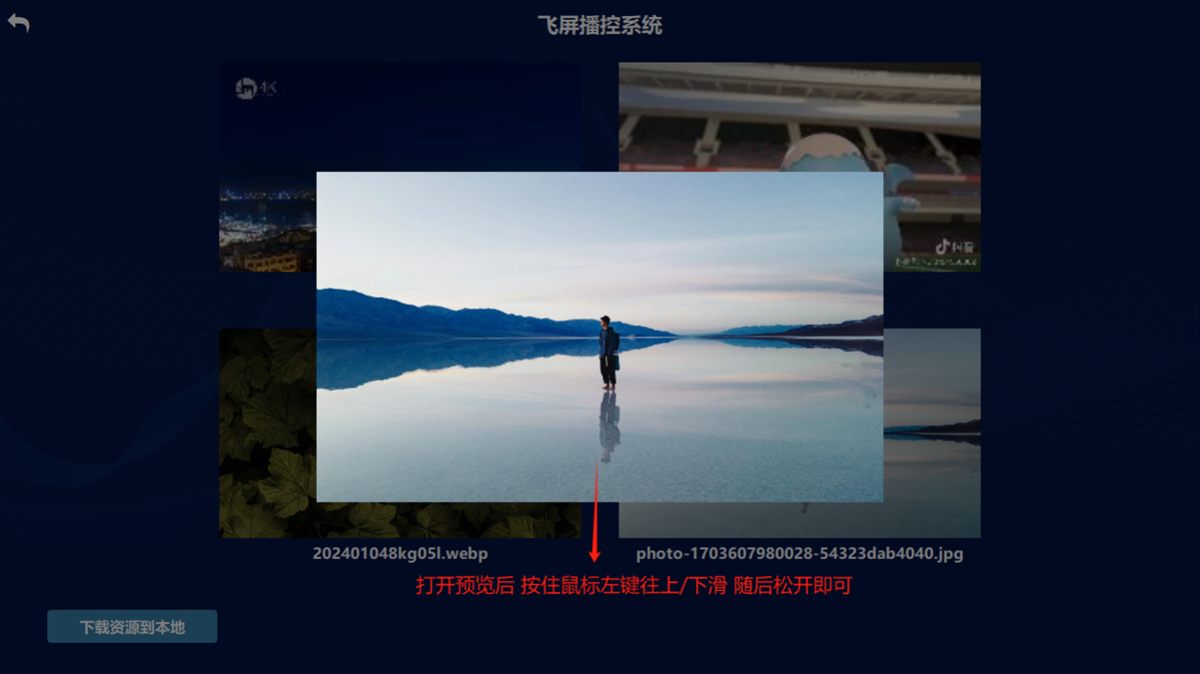
Click the content you want to experience as a fly screen effect. After the preview opens, hold the left mouse button and drag up or down, then release, to play the fly screen animation.
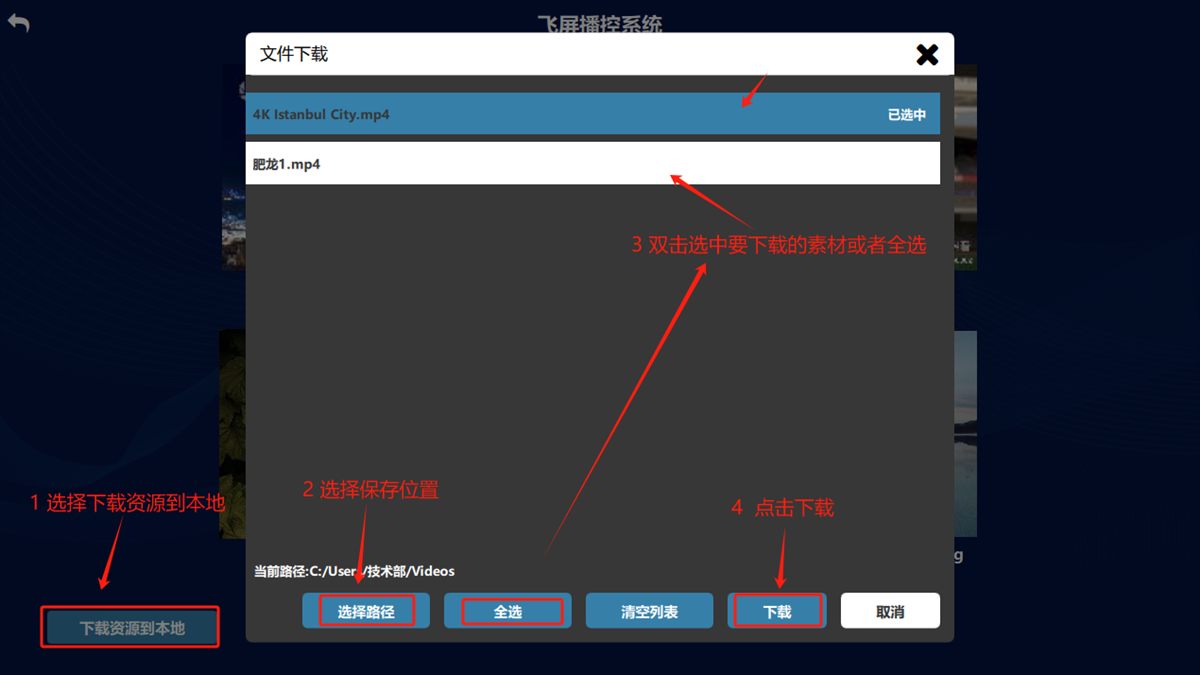
Download assets
Click to download the resource locally, choose where to save it, double-click the asset you downloaded, then click 下载(Download).
Was this page helpful?A one-line note helps us make these steps more accurate.