Documentation
Getting Started
Devices and Assets
Publishing and Display
Scenes and Patrol
Management and Settings
Troubleshooting and Support
Window Split
1. Single screen (full-screen display)
- ① Click the single-cell grid button shown below to switch to full-screen display quickly.
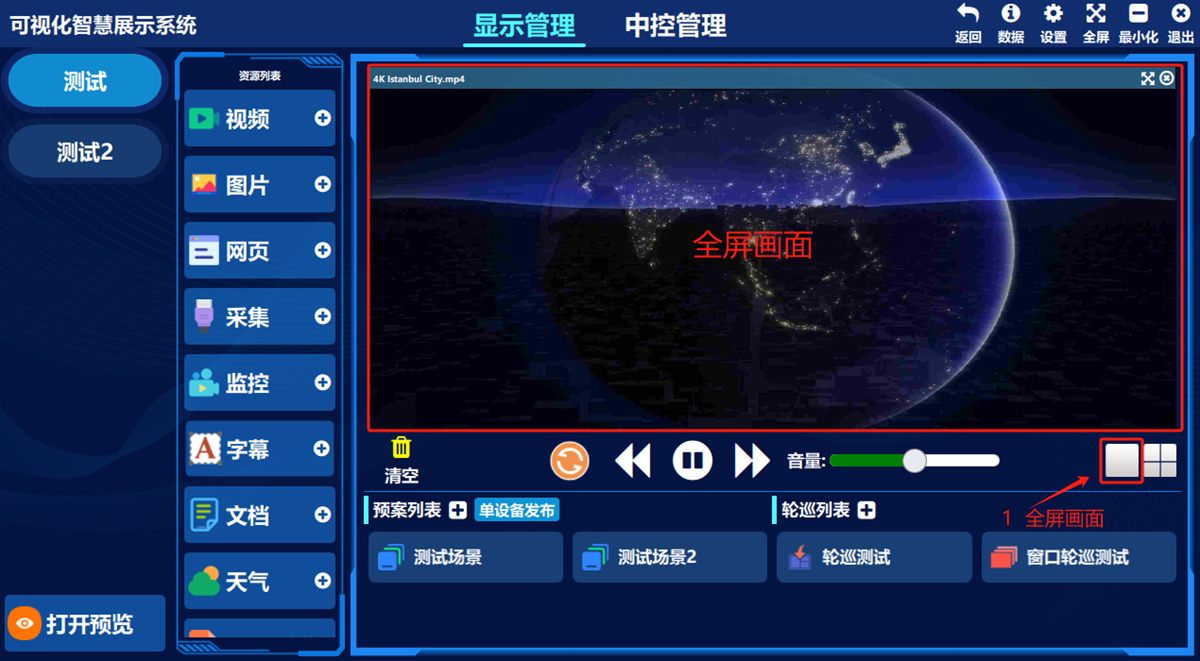
2. Four-way / multi-way split display
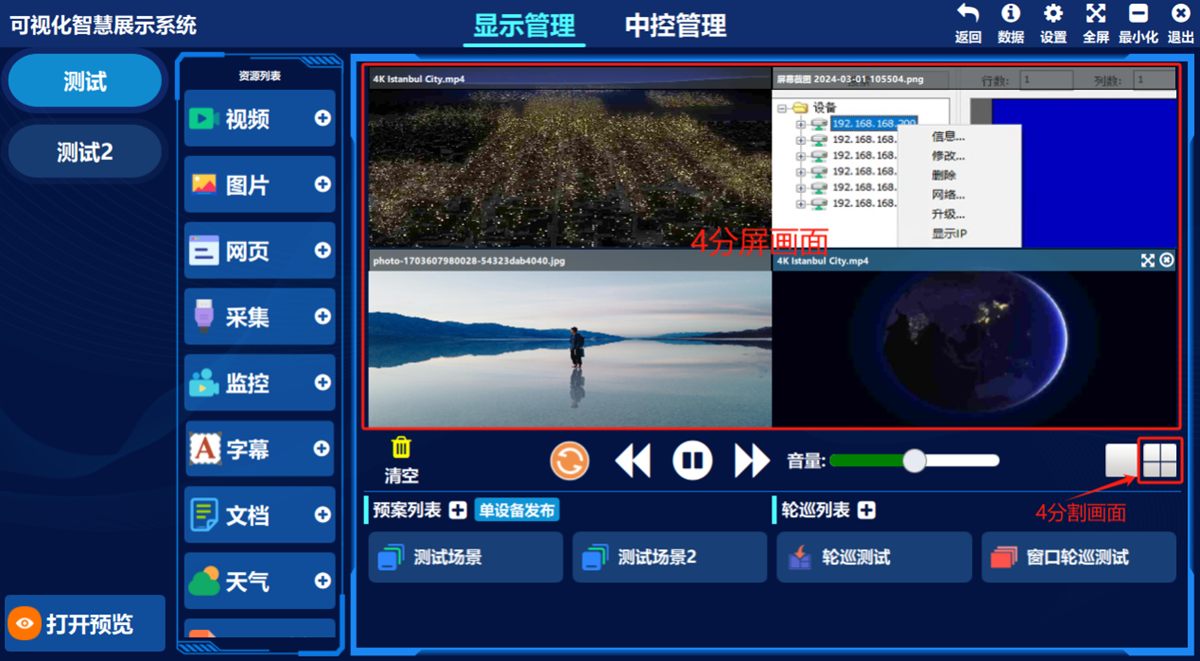
- ① Click the cell grid button shown below to split the display area into four;
Four-way split example: (you can publish several asset types to different windows at the same time)
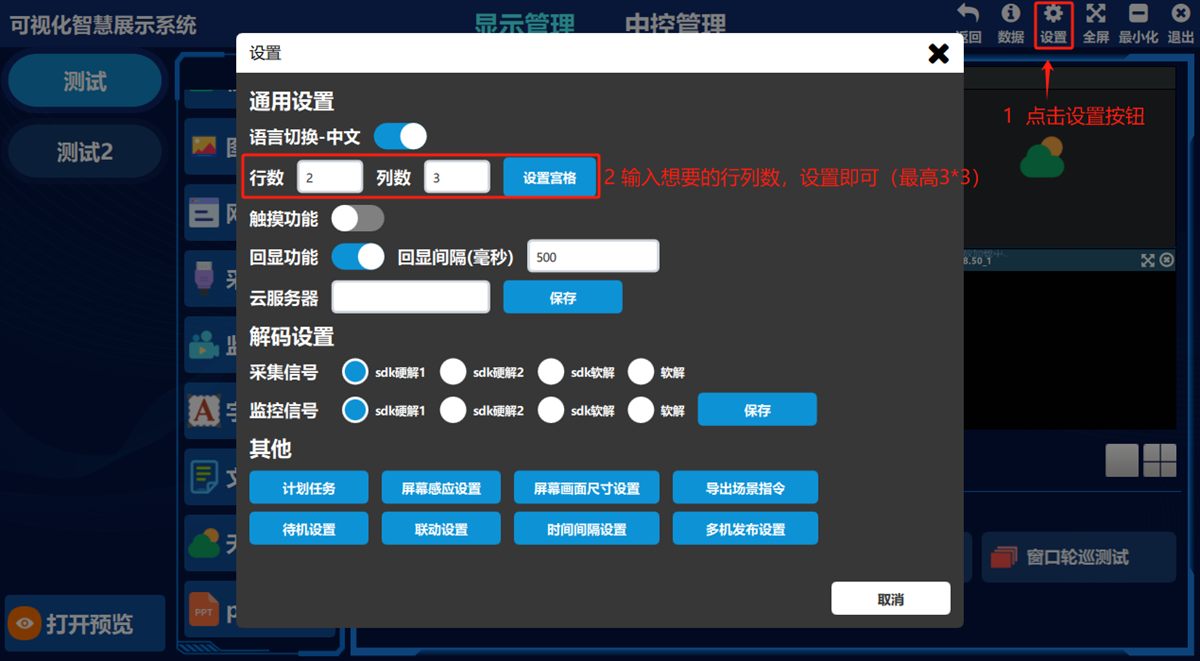
- ② Click 设置(Settings) in the top-right corner of the software and enter a custom number of rows and columns where shown below to set up more split screens.
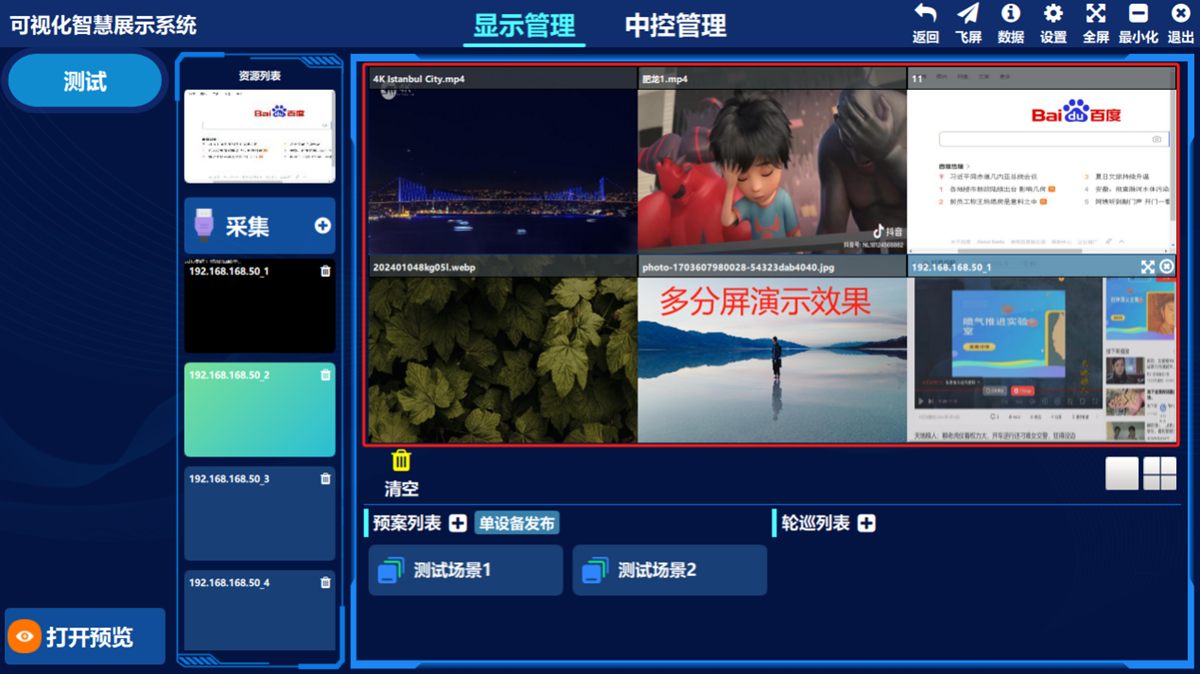
Multi-way split example:
Was this page helpful?A one-line note helps us make these steps more accurate.