Documents
Background Image Settings
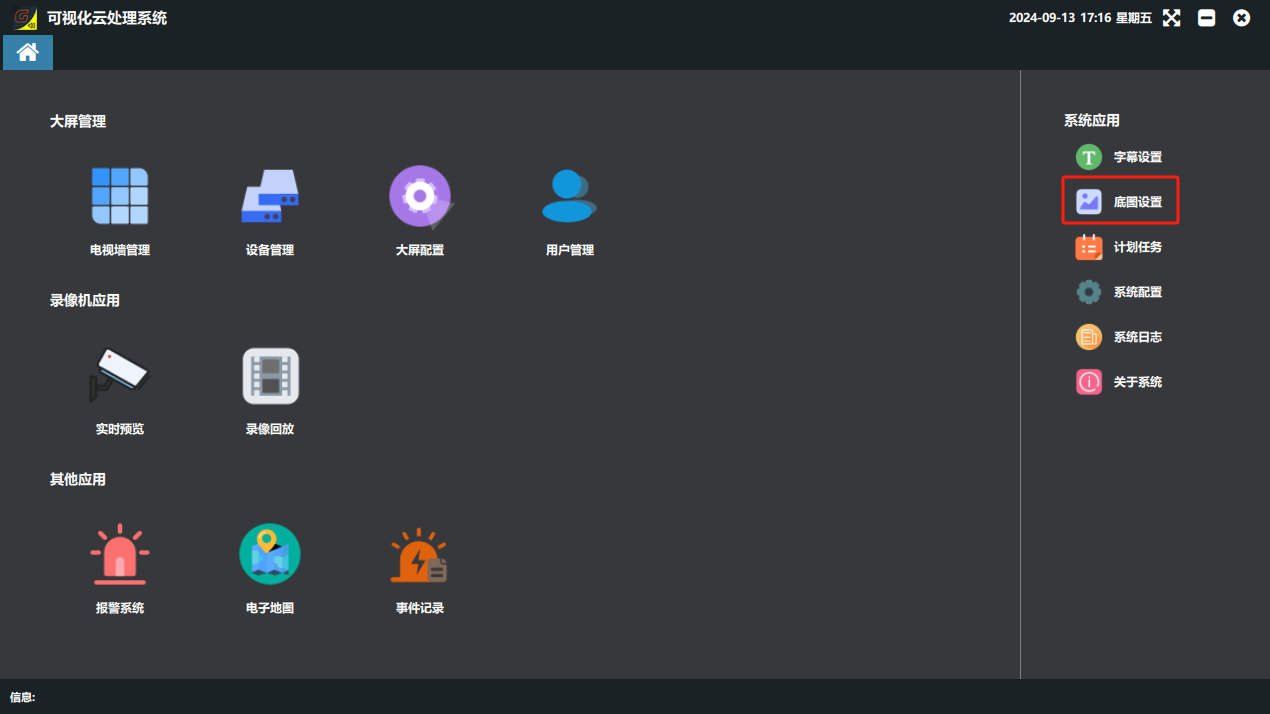
① Click the “底图设置”(Background Image Settings) button on the software home page.
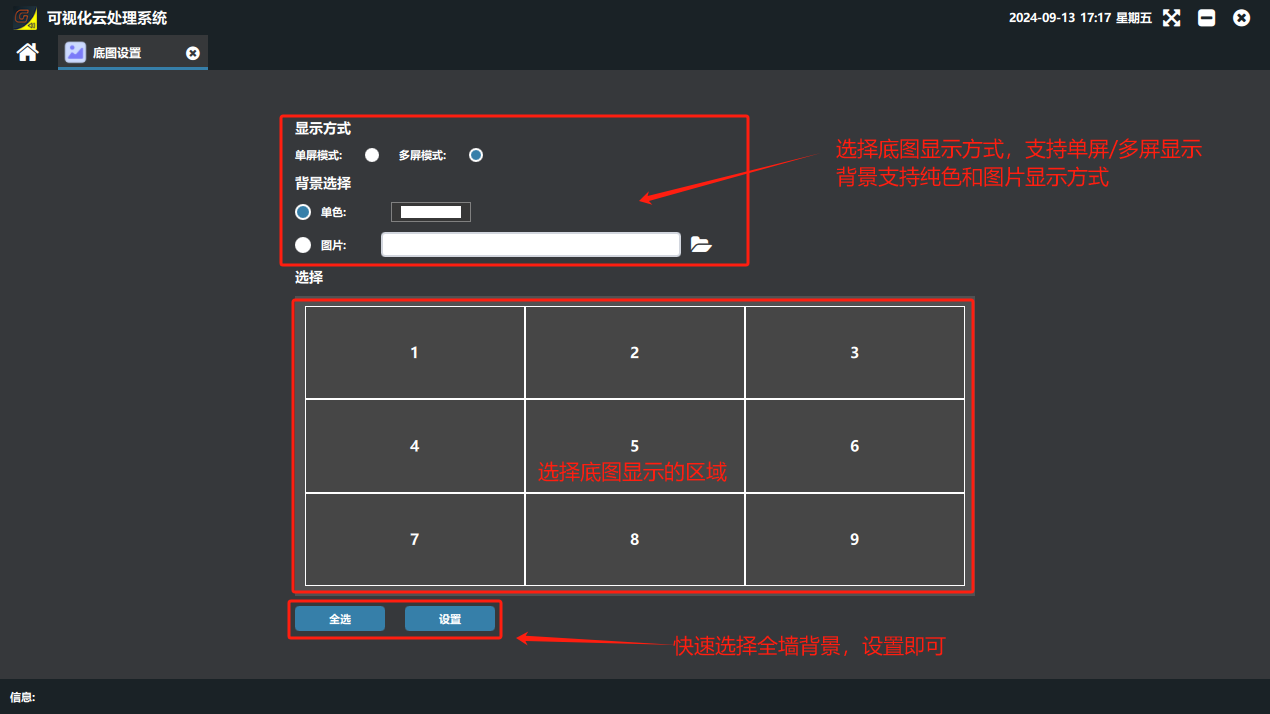
② The display mode can be single-screen mode or multi-screen mode.
Single-screen mode: each screen independently shows a solid color or one image.
Multi-screen mode: all screens are spliced into one whole showing a solid color or one image.
③ The background can be a solid color or an image.
④ Select the video wall to configure.
⑤ When the parameters are set, click “设置”(Set) to apply them.
Did this page help you?One line of feedback helps us keep the steps accurate.