Documents
Return Feed & Preview Monitor
1. Signal return feed
Note: IPC return feed card — if the device has IPC return feed, it was already configured before the device left the factory. However, if the device ip has been changed, the IPC return feed card must be reconfigured as follows.
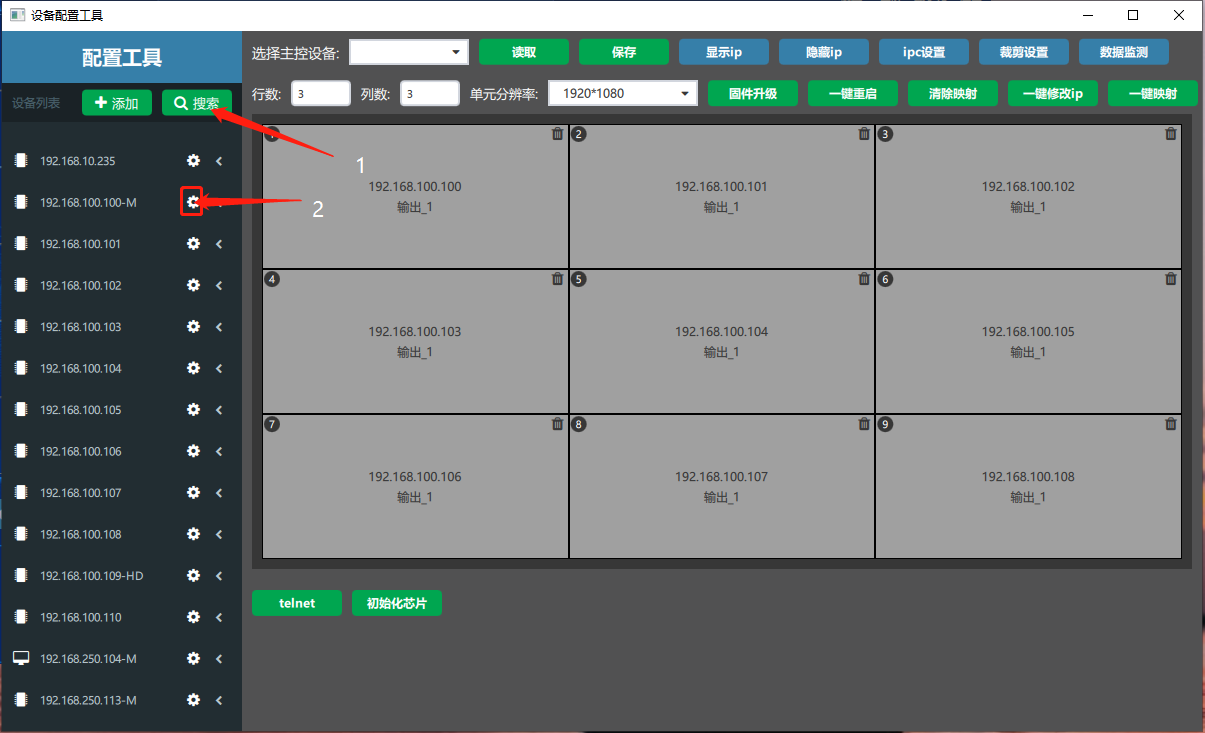
① In the software, click card configuration → in the “设备配置工具”(Device Configuration Tool) window that appears, click Search → among the searched device ips, select the small gear “” after the main card ip (an ip address with the “-(M)” suffix is the main card).

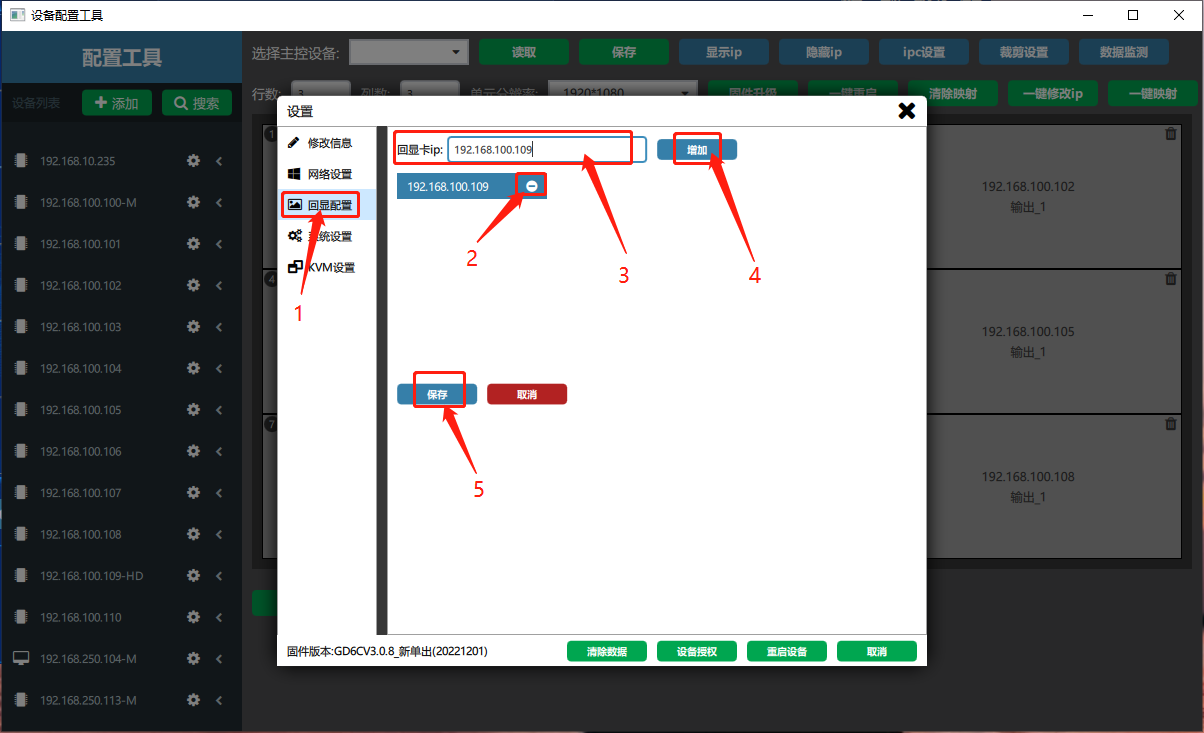
② On the settings page, select “回显配置”(Return Feed Configuration) → delete the old return feed card and click “” after the return feed card ip → enter the return feed card ip in the “回显卡 ip”(Return feed card ip) field → click “增加”(Add) → click “保存”(Save).

2. Signal preview monitoring
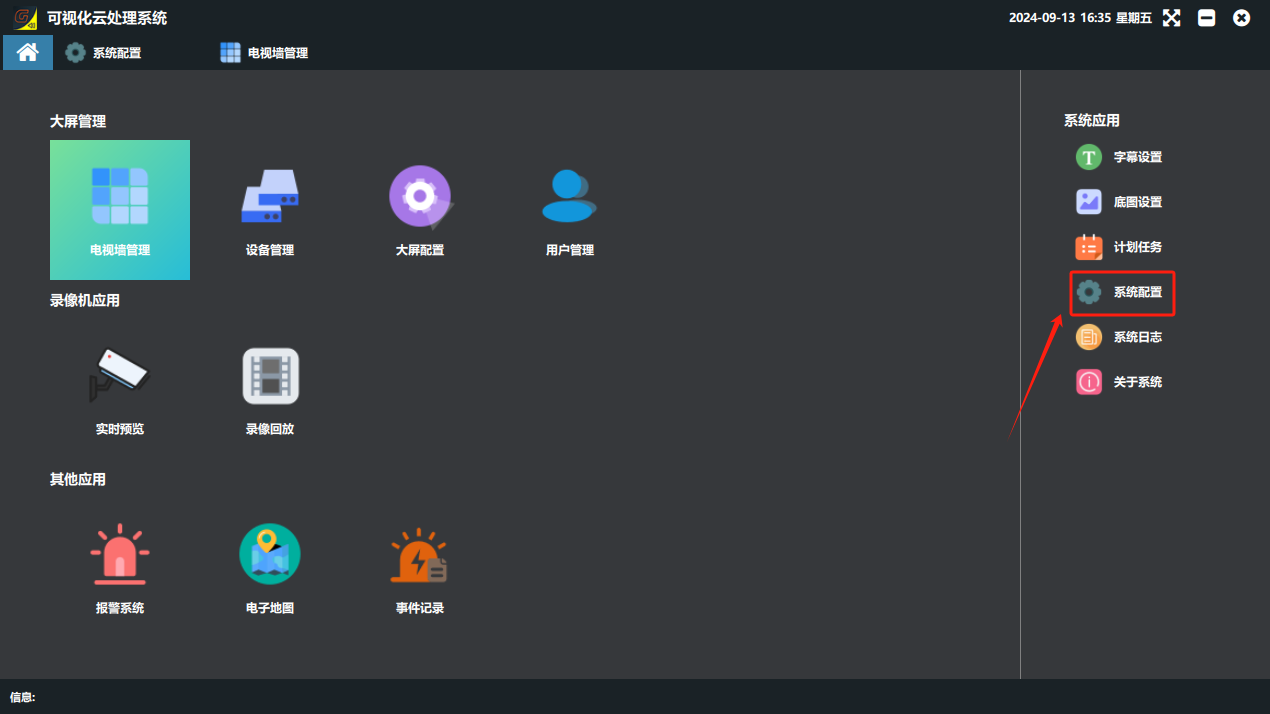
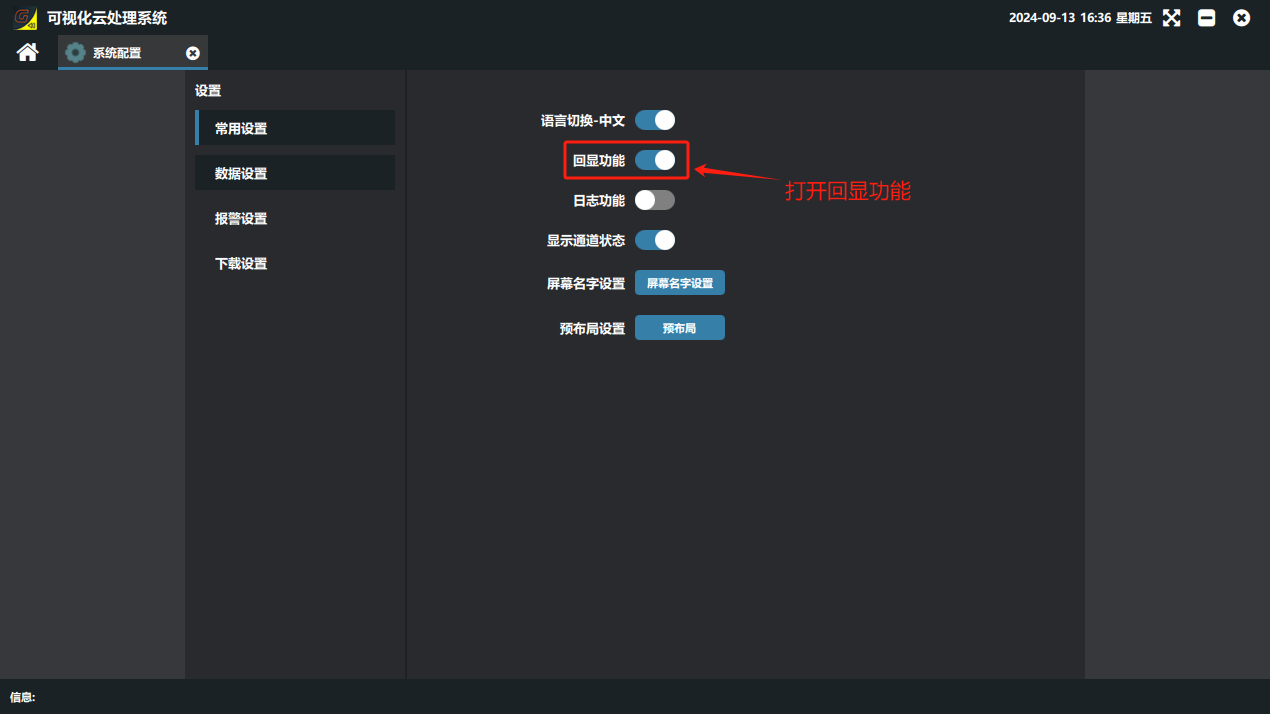
① Click “系统配置”(System Configuration) under system applications on the software home page, turn on return feed on the settings page, and restart the software.
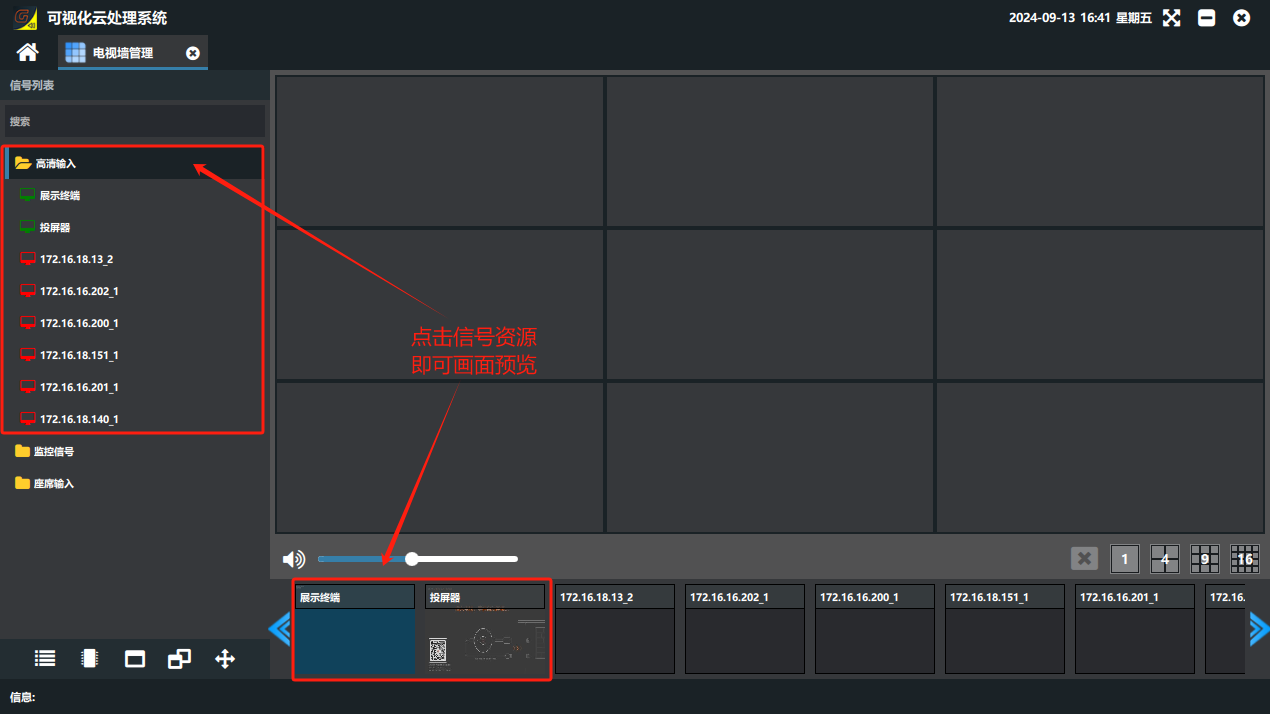
② Enter the display wall again and click the signal list; the 信号源(Signal Source) is then shown as a preview picture. (HD signals have return feed by default; monitoring signals need an IPC return feed card to have return feed.)
Did this page help you?One line of feedback helps us keep the steps accurate.