Documents
Caption Settings
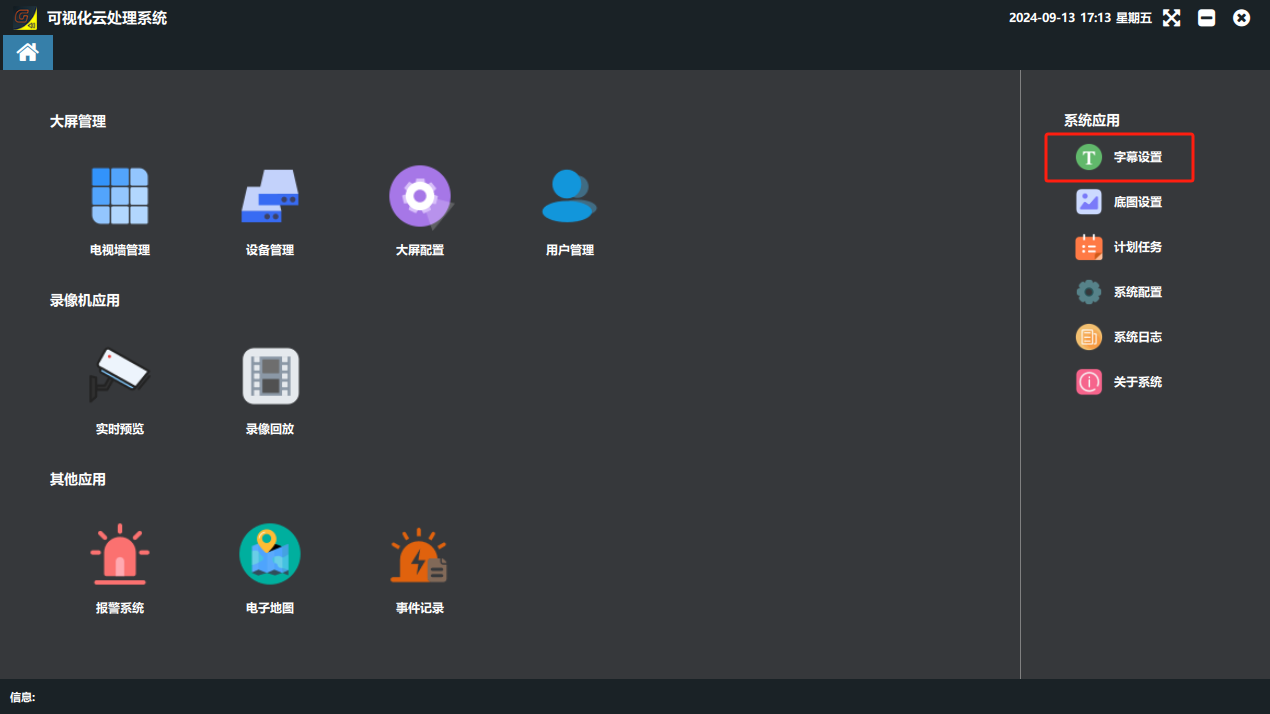
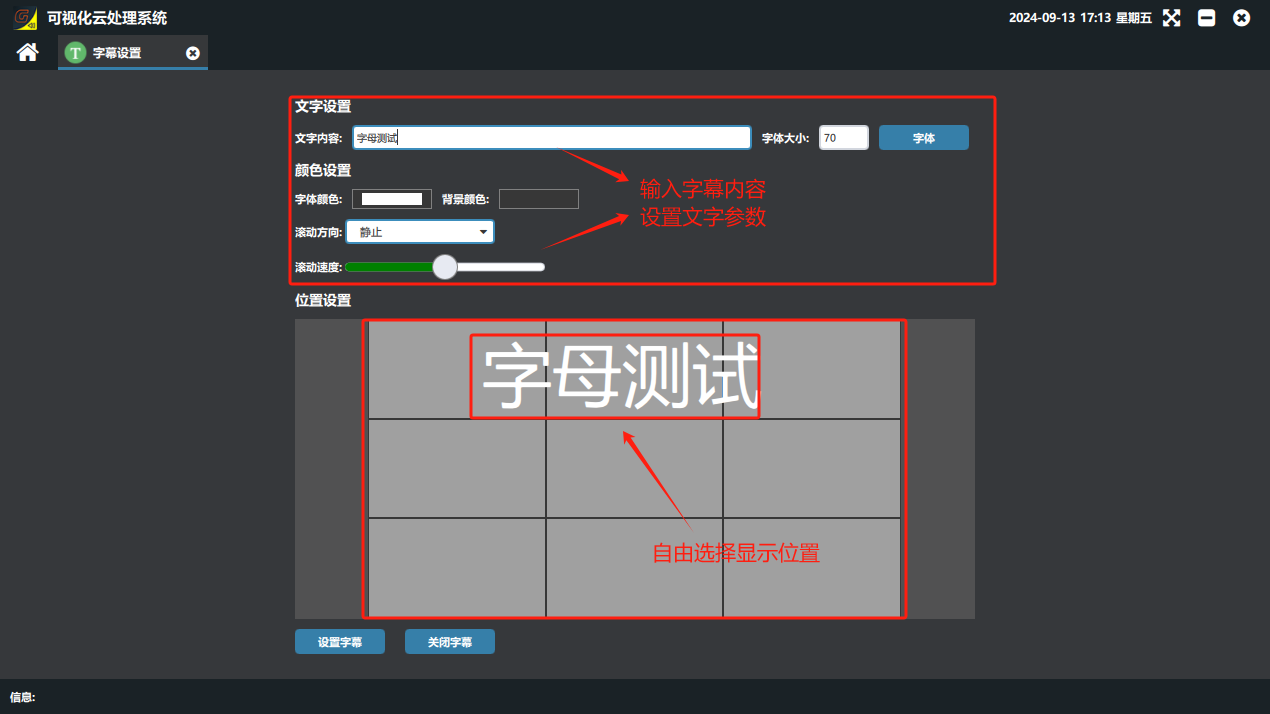
On the software home page, click the “字幕设置”(Caption Settings) button → ② set the caption content, font size, font color and background color → ③ move the caption preview box and choose the position to display it → ④ turn on the “开启字幕”(Enable Caption) button → ⑤ click the “设置字幕”(Set Caption) button. To turn captions off, click “关闭字幕”(Disable Caption).
Did this page help you?One line of feedback helps us keep the steps accurate.