Documents
Device Cabling
The interface diagram of the cloud integrated processor is as follows:
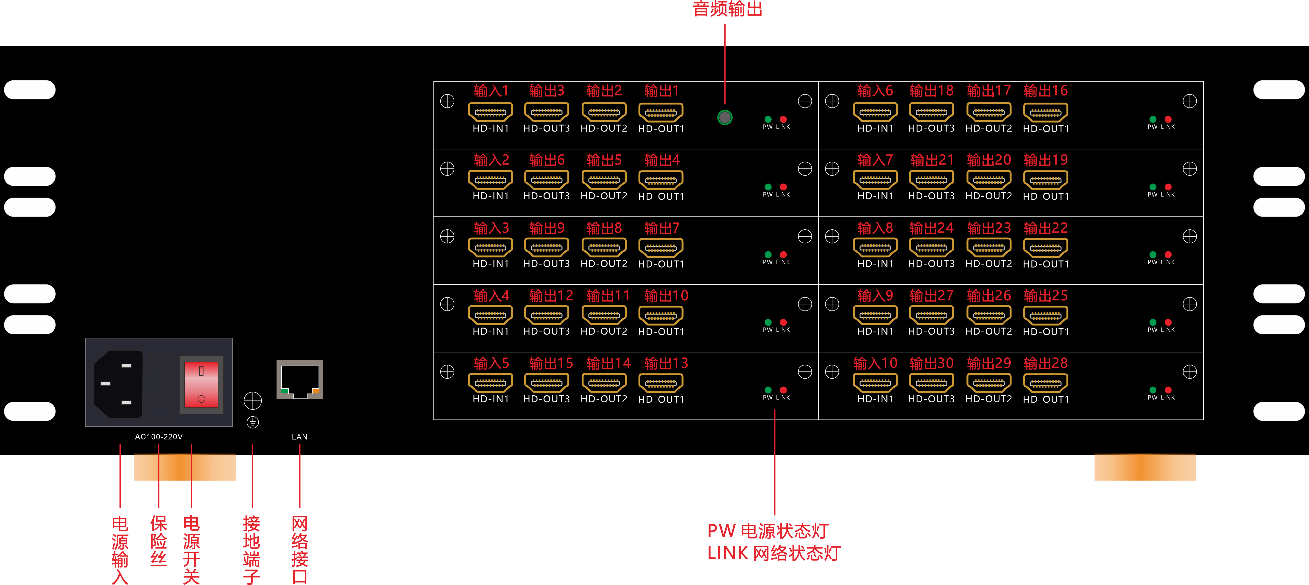
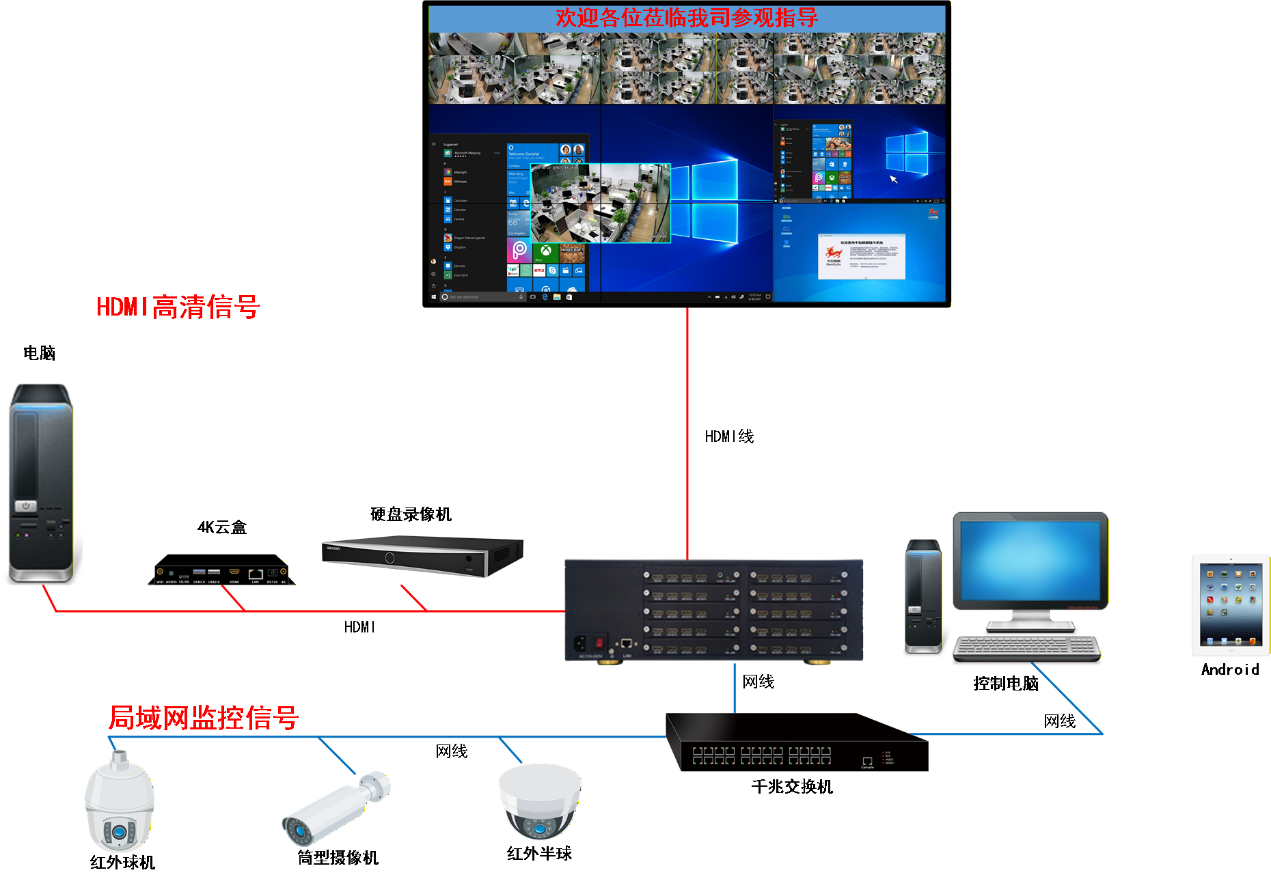
Device cabling top view (this diagram shows cabling with decoding; which devices to connect depends on the actual site).
Indicator check: a steady PW power LED means the power supply is normal; the LINK network port LED blinks while data is being transmitted. If it never lights up, the network cable is not connected properly or the network is unreachable.
Network environment requirements: use a gigabit switch and Cat5e or better network cables. The commissioning PC and the processor main control IP must be on the same subnet (see Chapter 2 for details).
Did this page help you?One line of feedback helps us keep the steps accurate.