Documents
Scheduled Tasks (Timed Tours)
1. Periodic execution
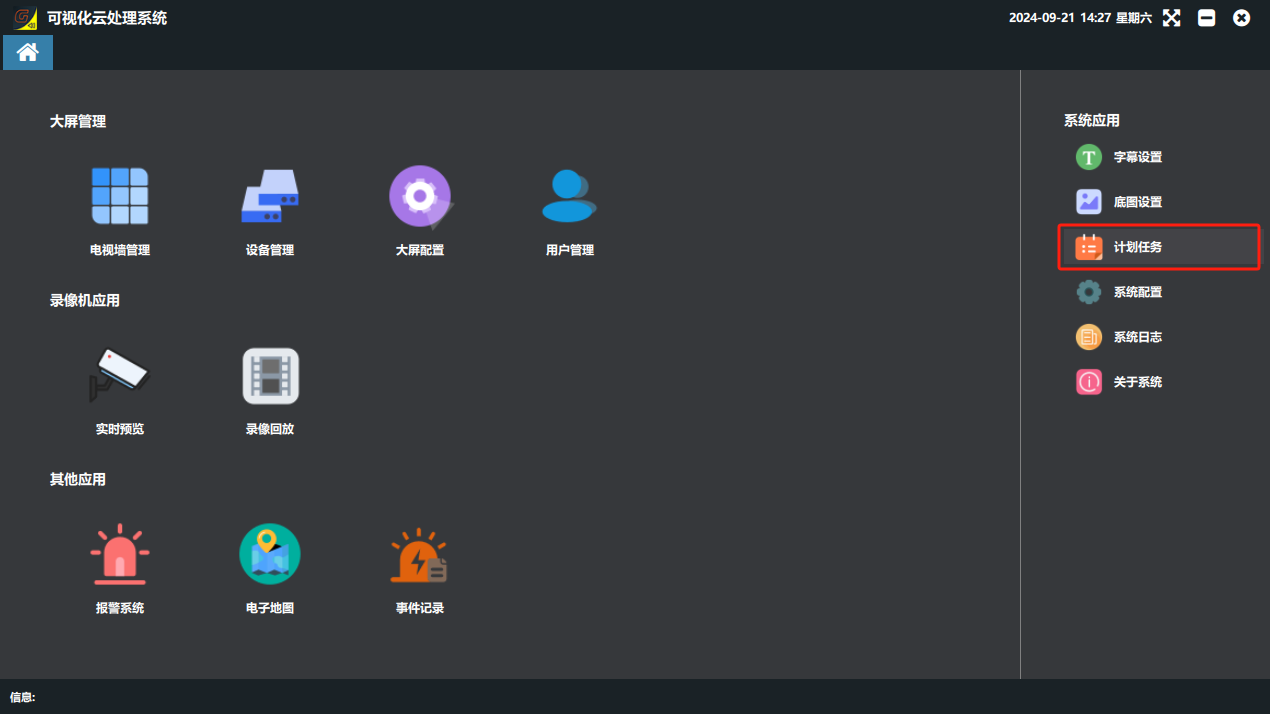
① On the software home page, click “计划任务”(Scheduled Task) on the right.
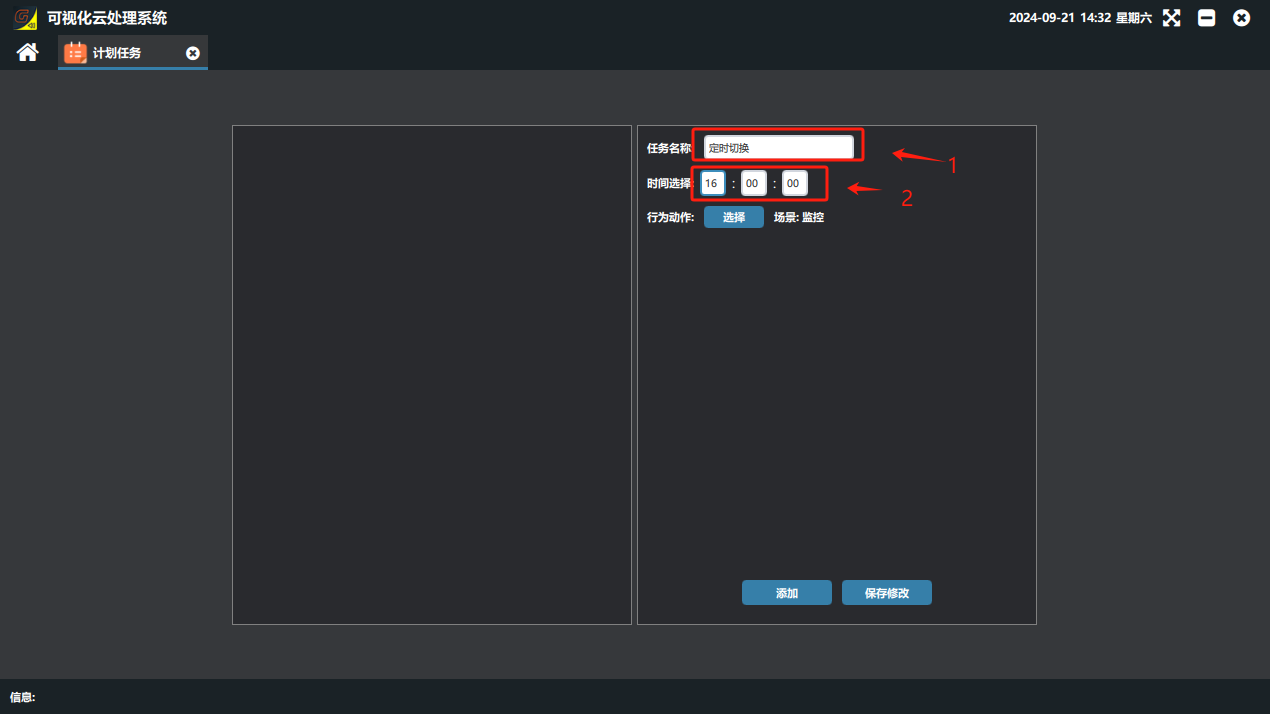
② Set the corresponding parameters in the scheduled task panel.
⑴ Task name: a custom name.
⑵ Time selection: set the time point for execution.
③ Action: select the saved scene or tour to run.
Click the select button “”

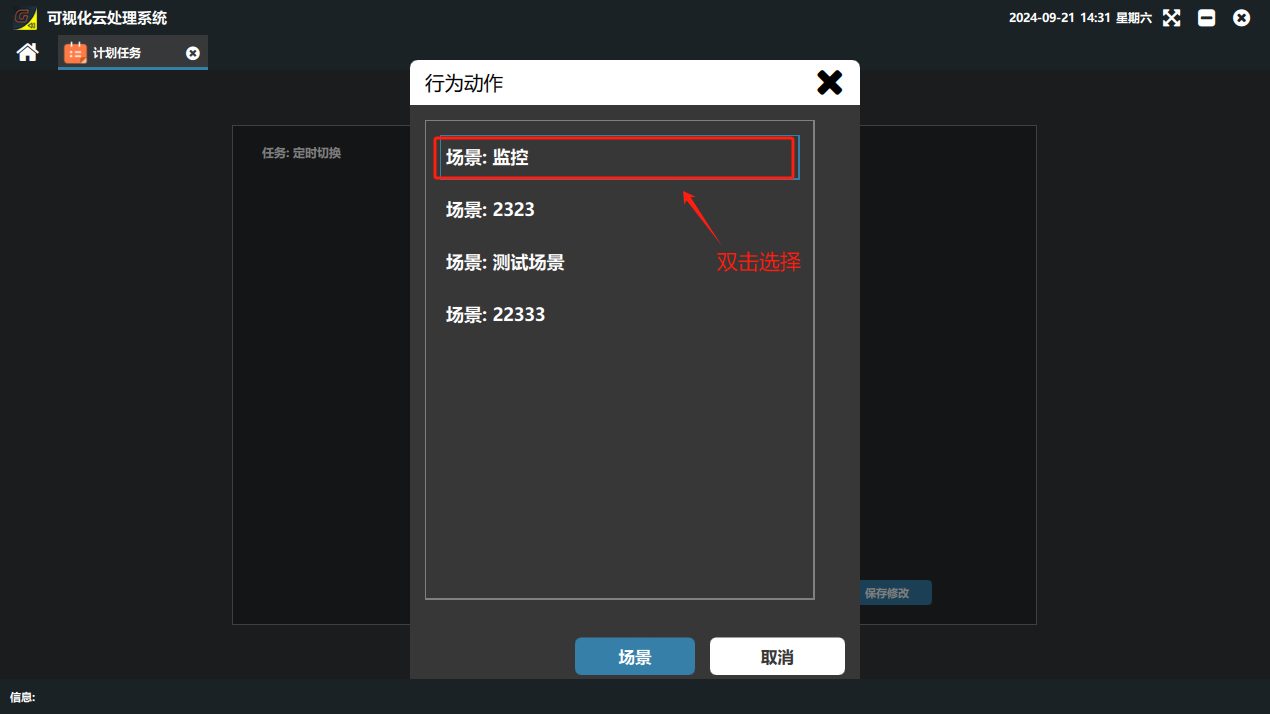
② Select the saved scene to run and double-click to confirm; when the parameters are set, click the Add button.
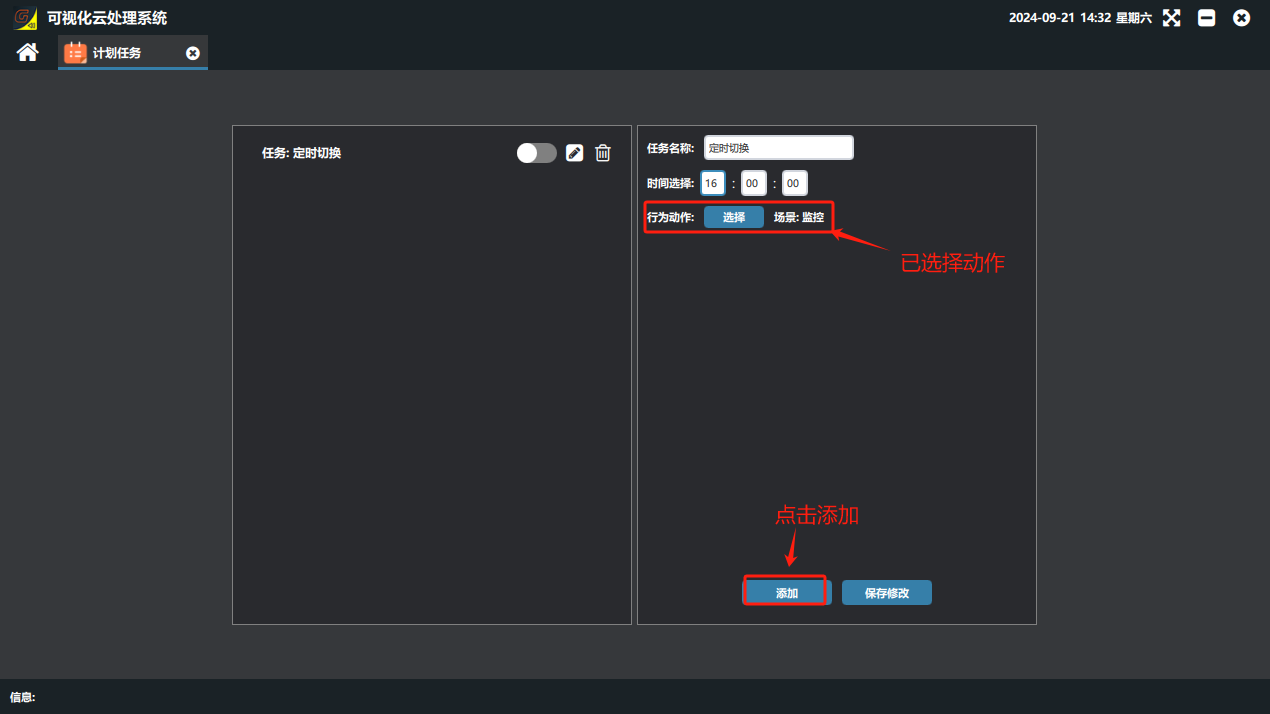
⑤ When the task is added, it appears in the scheduled task list on the left. Click the enable button after it to enable the task; the device then switches scenes automatically at the set time.
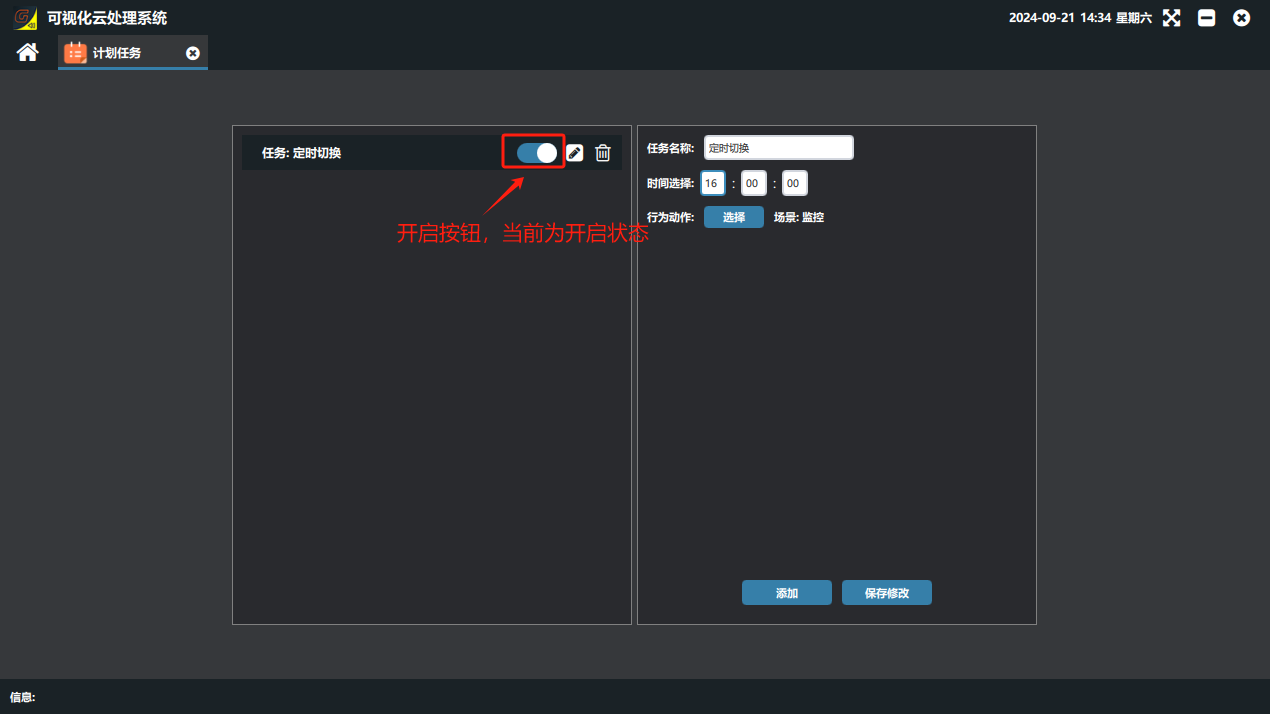
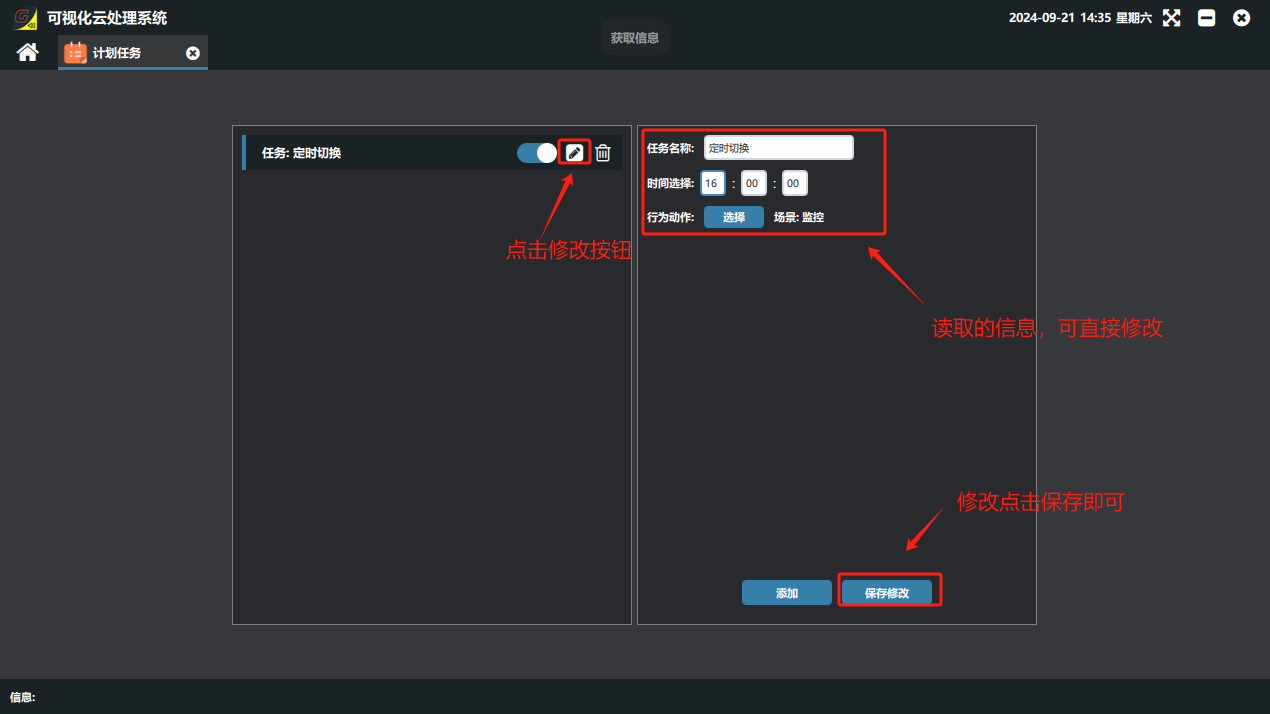
⑥ To modify a scheduled task that has already been set, click the edit button “” after the task to modify. The settings panel on the right then reads the current task parameters; change the parameters you need in the parameter fields and click “保存修改”(Save Changes)/“”.


Did this page help you?One line of feedback helps us keep the steps accurate.