Documents
Tour Schedule Settings
1. Scene tour
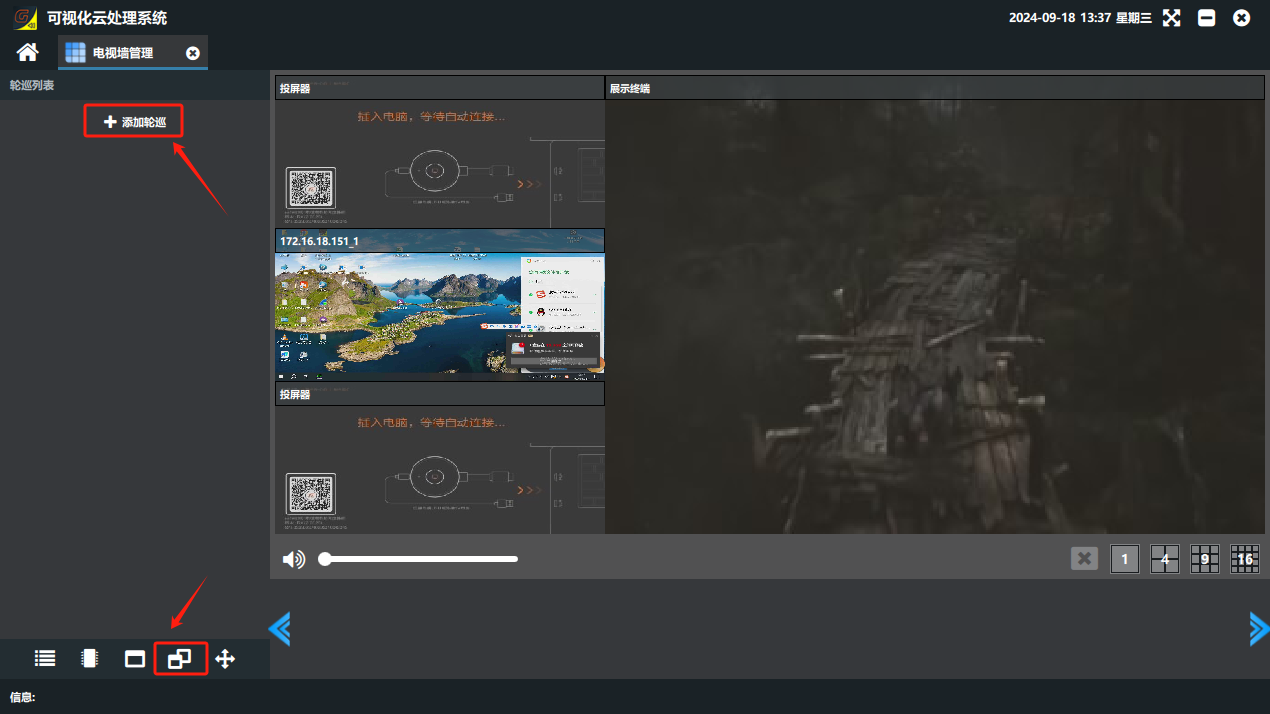
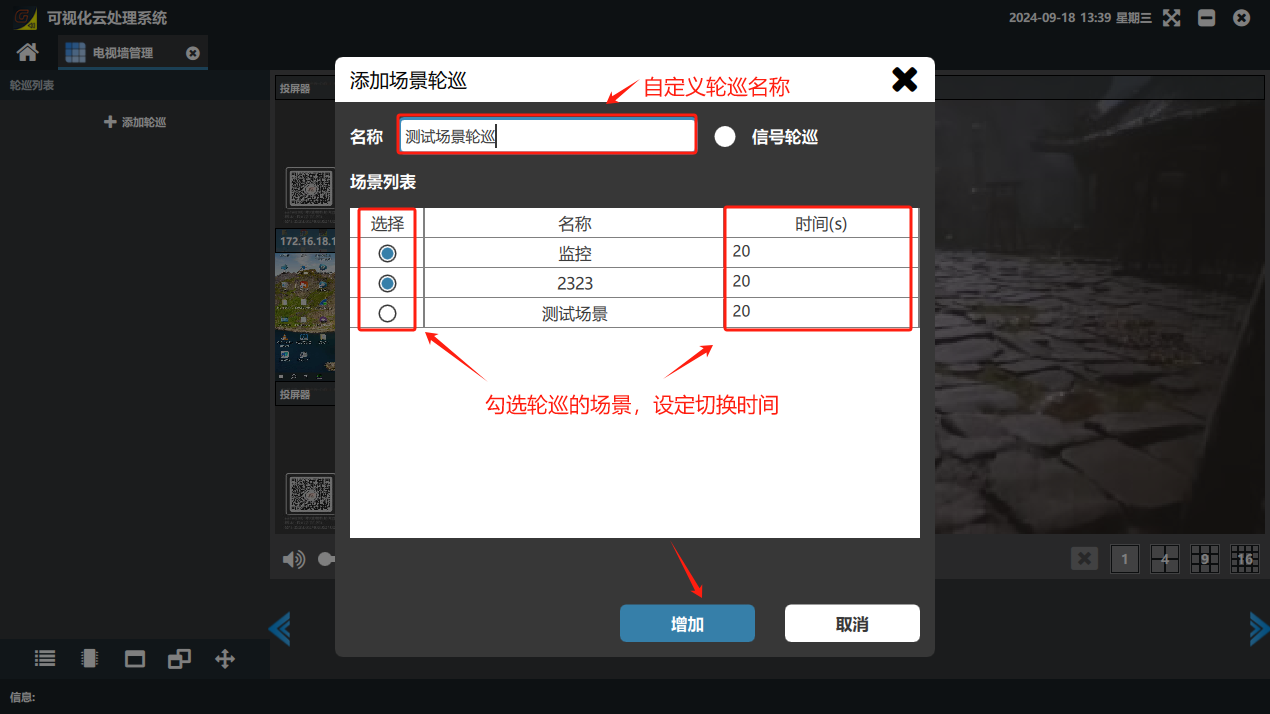
① Click the “轮巡”(Tour) button in the lower-left corner of the software to switch to the tour list, and click “添加轮巡”(Add Tour) → in the “添加场景轮巡”(Add Scene Tour) window that appears, enter a custom scene tour name, select the 场景(Scene) to tour and set the time. (Note: a scene tour requires that the required scenes are created first.)

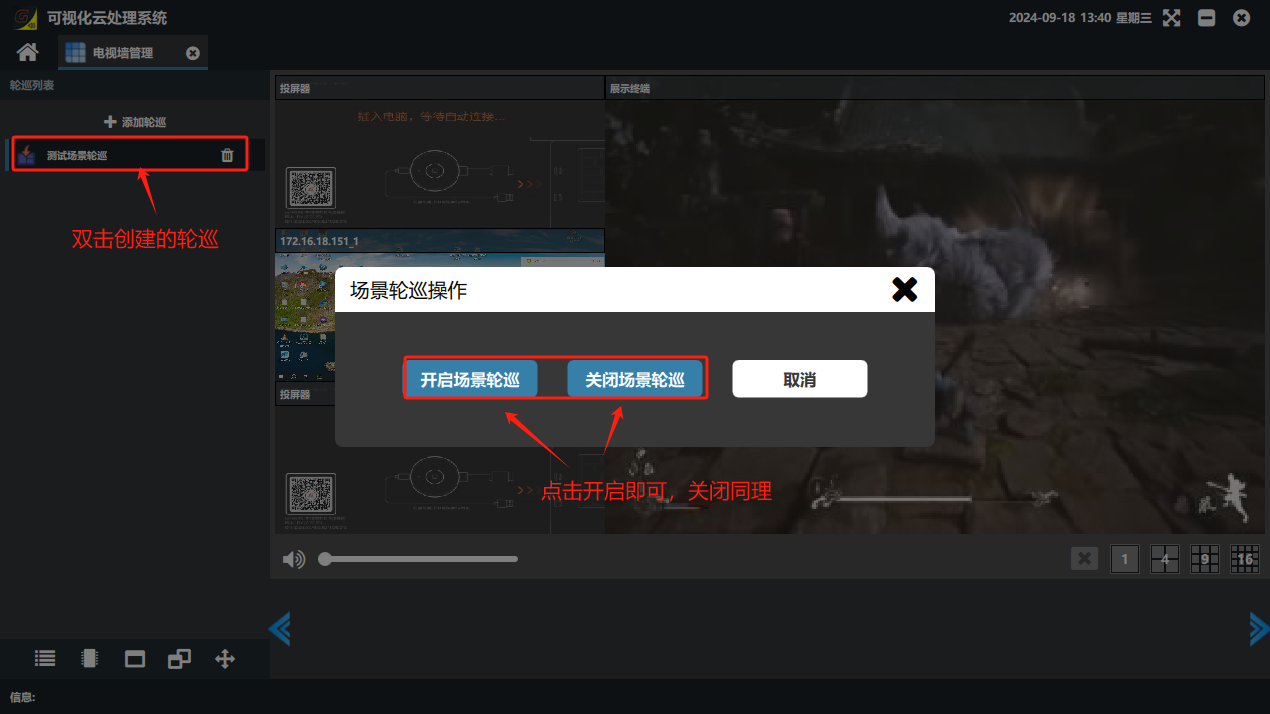
① To run a scene tour, just double-click that scene tour mode in the tour list.
2. Signal tour
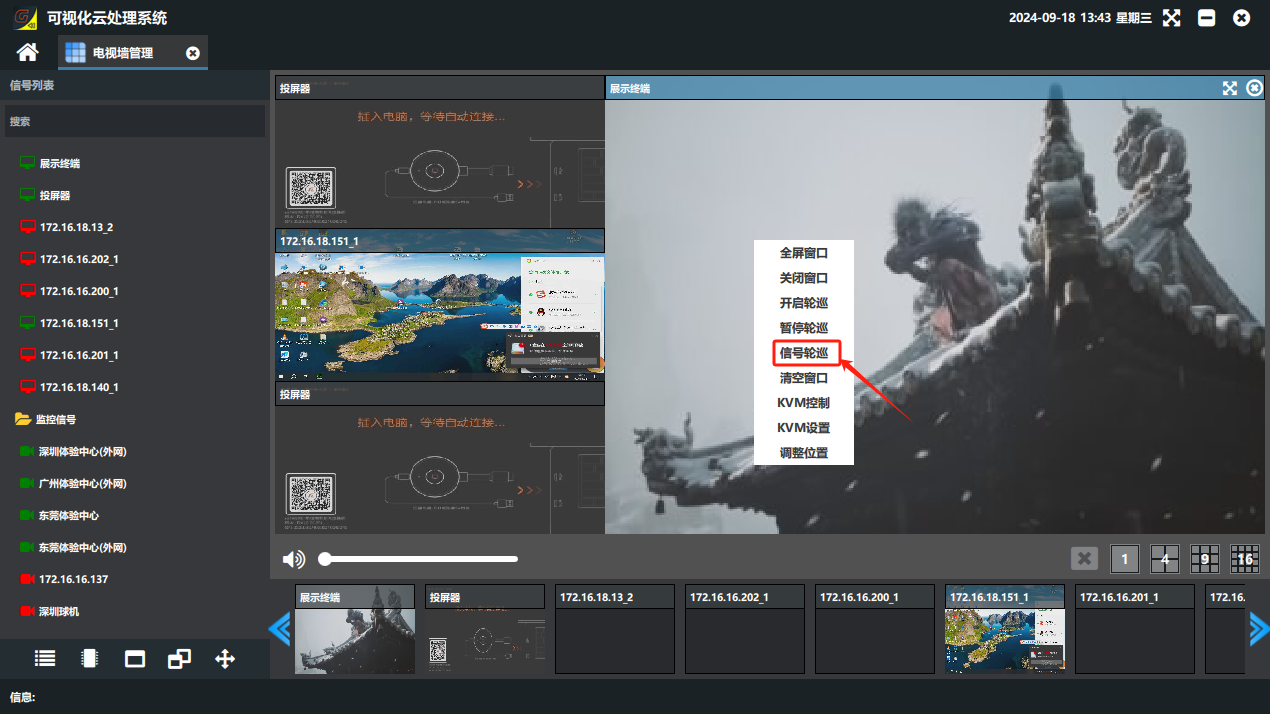
① Right-click the signal window that needs a signal tour → click “信号轮巡”(Signal Tour).
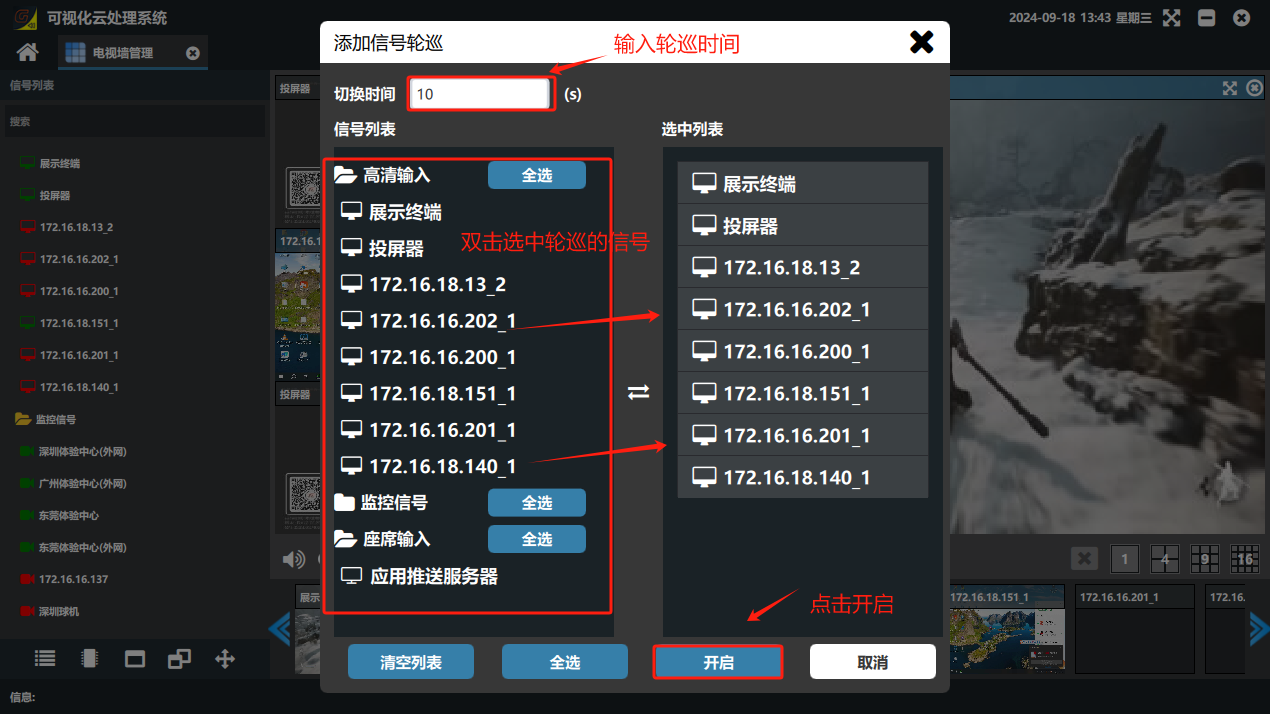
② In the “添加信号轮巡”(Add Signal Tour) page that appears, set the switch time → in the signal list, select the signals to tour and double-click them; they are added to the selected list on the right → when the settings are done, click enable to start the signal tour of this channel. Other channels are configured in the same way.
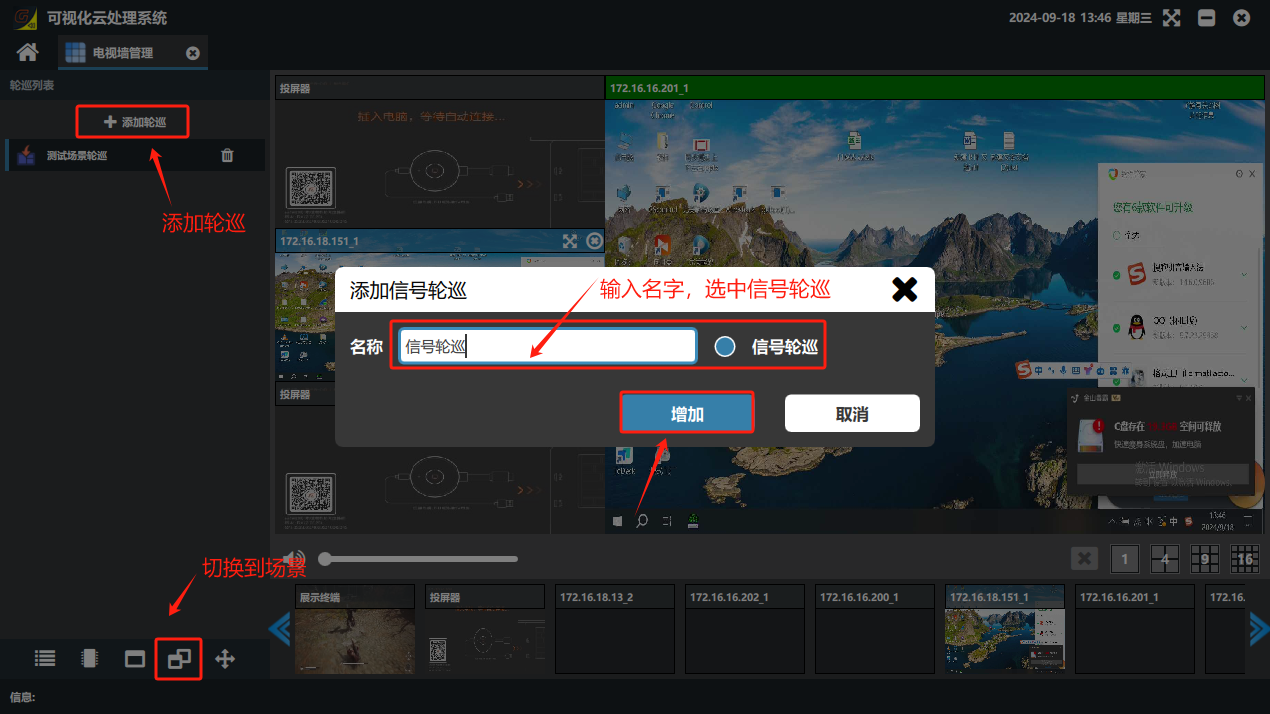
③ When all channels that need a tour are configured, click “添加场景”(Add Scene) in the “轮巡”(Tour) list → in the edit window that appears, select the checkbox “” in front of “信号轮巡”(Signal Tour) → enter a custom name → click Add.

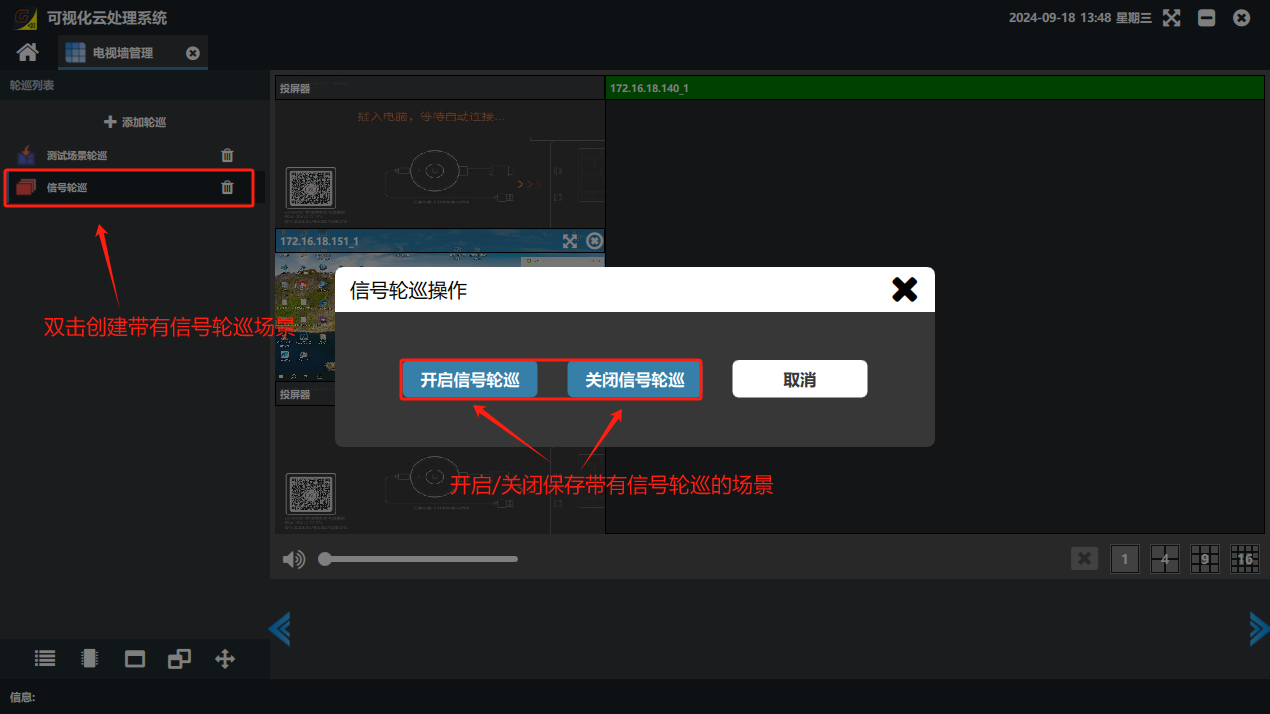
④ To run a tour mode, double-click that mode in the tour list; in the options box that appears you can turn it on or off.
Did this page help you?One line of feedback helps us keep the steps accurate.